5 Essential Drone Shots Every Pilot Should Master Before Moving to Advanced Maneuvers

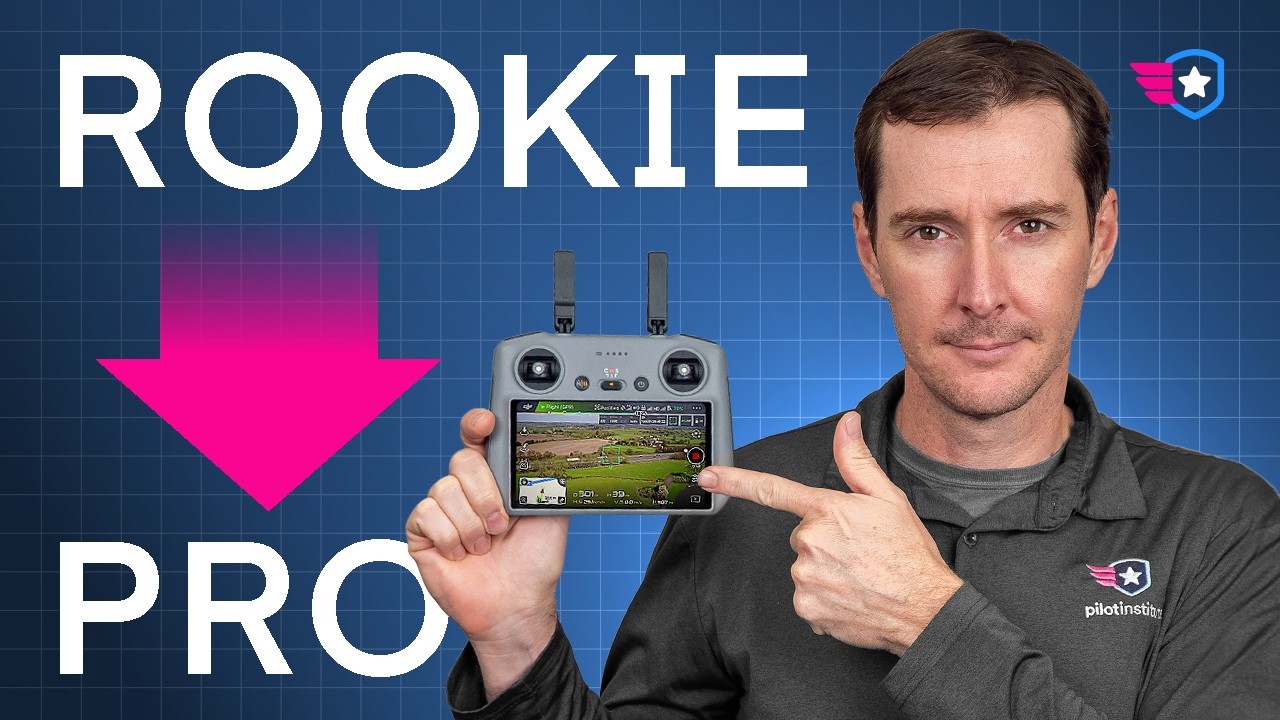
Too many new drone pilots jump straight into advanced moves without mastering the basics. There are five drone shots that you should be practicing first. I’m Greg, the co-founder of Pilot Institute, where more than 400,000 students have already learned to fly safely and confidently. In this article, I’m going to walk you through the core drone shots that every pilot should master. This foundation is going to make your footage smoother and instantly more cinematic. Let’s get to it.

Drone shot 1: The Orbit
Orbits are one of the best ways to get comfortable on the sticks. You’re basically flying a smooth circle around your subject and keeping it inside the frame the entire time. You’re going to be using both sticks together — yaw and roll — and working them in sync.
The key is to use the right combination of movement. If you move one stick out of balance, you’re going to drift off and lose the subject. Speaking of subject, you’ll want to find something easy to start with, like a tree, a parked car, or a small building. Start wide and keep it very, very slow.
I recommend starting with just the right stick, and once you get that steady movement established, you can begin adding the left stick in the opposite direction. Tiny, gentle inputs make a huge difference here. The goal is to find the balance between both sticks to get that smooth curve you’re looking for.
Do a few passes clockwise, then switch and go counterclockwise. Keep your height steady and watch the background move behind your subject — that’s what gives your shot its cinematic depth.
Once you’ve flown a few smooth orbits, you’ll notice your controls improving almost right away. If you find yourself drifting closer or further from the subject, that’s totally normal. Try looking at the screen instead of the drone itself. Use all those visual cues to stay even — it helps your brain sync with the movement.
Next, try flying at medium height for a full minute without moving the gimbal. Then do it again, adding a little slow gimbal movement. That’s a great way to build muscle memory.
Drone shot 2: The Reveal
Reveals are one of the easiest moves to learn and they instantly elevate your footage. There are a few different ways to do them.
For a tilt-up reveal, start with the gimbal pointing all the way down toward the ground. Then slowly push forward on the right stick while simultaneously moving the gimbal wheel up. Both motions should feel connected — as the drone moves forward, the camera tilts up and reveals the horizon. Go slow and steady, right around walking speed. That’s how you keep the motion smooth and fully controlled.
Another type of reveal uses altitude. Start low behind a hill, a ridge, or a tree line that’s blocking the view. Push forward on the right stick and add a little left stick up to climb while keeping the gimbal level, until the top comes into frame. Once the horizon clears, you can feather the gimbal up or down to show the full landscape.
It’s classic storytelling. It builds mystery around what’s about to happen, and that moment when the scene opens up — that’s your payoff. This is a shot that’s going to keep your audience engaged.
As a practice tip: try both reveal styles at different speeds and different heights. Slower movement always looks smoother, and it’s great stick control training at the same time.
Drone shot 3: The Tracking Shot
The tracking shot teaches you how to keep a moving subject framed while matching its speed and direction. You’re flying alongside your subject — maybe a car, a hiker, or a cyclist — and your goal is to hold a steady distance, altitude, and framing the entire way through.
Start simple. Fly parallel to a straight road or a tree line before adding any moving subject. Focus on keeping your path smooth and even. Repetition will help you build awareness of the area, spot obstacles, and get familiar with the flight path.
Once you’re comfortable, it’s time to start tracking. Pick a safe distance and fly parallel to the subject at a steady speed. Try not to overcorrect — small inputs go a long way.
If your drone has Active Track, go ahead and experiment with it. But I recommend flying it manually. Why? Because learning to match the speed teaches you real control that you can apply to any other shot.
A clean tracking shot adds a ton of motion and energy. It pulls the viewer right into the scene, like they’re moving along with the subject. It’s also one of the best shots for practicing spatial awareness — you start to see how far your drone actually is from things around it, which is key when flying in tighter spaces.
One common mistake: flying too fast. Let the subject set the pace, not the drone. Your job is to complement the motion, not compete with it. And if you want to spice it up, try adding a slow orbit to the side follow — it makes the shot look amazing.
Drone shot 4: Parallax
Parallax isn’t really a shot — it’s more of an effect. It’s what happens when objects at different distances move at different speeds inside your frame. The closer something is to the camera, the slower it appears to move, while the background moves much faster. It’s one of the simplest ways to make your footage feel dynamic and three-dimensional, even if your drone is just moving sideways.
To create this effect, pick a subject with different layers — I recommend three: a foreground, a middle ground, and a background. The further apart these layers are from each other, the better it’s going to look. I also recommend using a zoom if your drone has one. The 3x on the DJI Air 3S is my favorite, but the 6x or 7x on the Mavic series works really well too if the objects are far apart in distance.
The easiest way to practice this is with a side-follow movement. Line up your subject so it’s off-center, then slowly push your right stick left or right while keeping the camera locked on the subject. Go slow and steady — too fast and everything blurs together, too slow and you lose the effect.
Once you’re comfortable, try combining this with an orbit or a reveal. This adds a ton of motion and makes your footage look a lot better without requiring complicated maneuvers. Remember, parallax is all about combining movement and depth at the same time.
Drone shot 5: The Nadir (Top-Down) Shot
The nadir shot — also known as the top-down or bird’s-eye view — is where you fly with the gimbal pointing all the way down at the ground. This shot isn’t just useful for cinematic footage; it’s also great for spatial awareness, letting you check what’s directly underneath you.
If you’re filming people or vehicles, always check your position and make sure you have clearance before flying overhead. To switch to the top-down view quickly, I recommend using the gimbal tilt shortcut. On most drones it’s a button on the controller — press C1 or the custom function button and it points the camera straight down. Practice that on the ground before you fly so you can switch angles smoothly in the air. It’s also very handy when landing, to check for obstacles and line up exactly with your landing spot.
Once you have a good feel for the nadir view, try adding a little forward or backward motion — that gives the shot movement and depth. A popular variation is to combine the top-down view with a slow rotation as you climb. I call this the corkscrew effect. To do it, add a slow controlled rotation with the left stick as you ascend — push up and slightly to the side for that slow rotation, but not too much. You can play with speed and even add a speed ramp in editing to make it more captivating.
This keeps the framing locked with the world spinning underneath you. Make small adjustments — it’s all about precision and control. And with every shot, repetition is your friend. The more you practice, the better you’ll get. When you can keep those rotations steady and your subject centered, that’s when you know you have real control of the aircraft. That’s what separates confident pilots from beginners.
Keep Practicing and Take It Further
Once you’ve got these shots down, everything else starts to click. You’ll fly smoother, plan your shots faster, and your footage will look a lot more professional.
If you want a more detailed breakdown with step-by-step controller movements and more advanced variations, check out the Cinematic Drone Footage Playbook I mentioned — it’s a free course that expands on all of these shots and plenty more.
And here’s my best overall tip: practice for 30 minutes a few times a week, and you’re going to be a pro in no time.
For more drone tips and tutorials, visit my Pilot Institute YouTube channel and check out my author page on DroneXL.
Discover more from DroneXL.co
Subscribe to get the latest posts sent to your email.