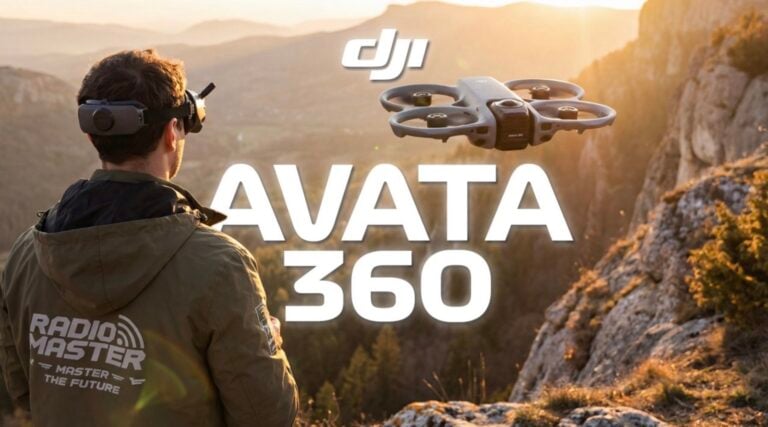
DJI Avata 2 First Full Motion Controller 3 Flight & Impressions

Check out the Best Deals on Amazon for DJI Drones today!
All right, so today is a great day because we’ve got a brand new drone from DJI to fly. This here is the DJI Avata 2 and what’s great about this release is it’s not just a brand new drone, we’ve also got brand new gear, hardware and peripherals to go with it like a new set of goggles and two new controllers.

DJI Avata 2 Drone
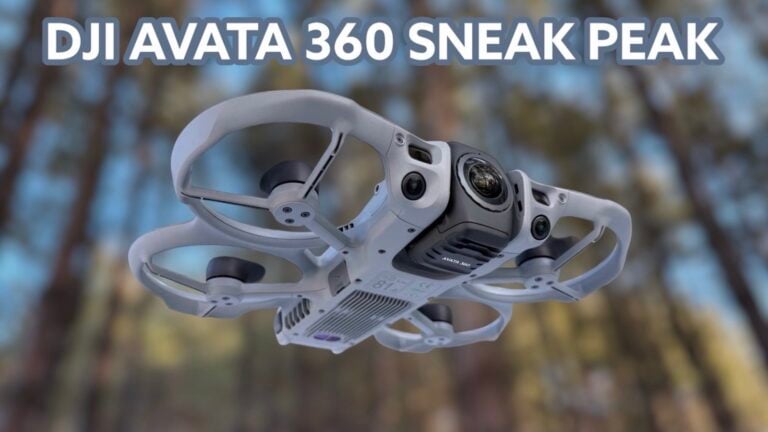
As for the drone itself, the DJI Avata 2, this has major improvements over the first generation drone. Not only does it look different, it also has a bunch of great new specs under the hood as well as a new and improved camera.
DJI Goggles 3
We also got a new set of goggles. These here are the DJI Goggles 3 and personally this is probably my favorite upgrade out of the bunch, but we’ll of course get more into this here in a little bit.
RC Motion 3 and FPV Remote 3 Controllers
We’ve also got the RC Motion 3 and the FPV Remote 3, so we’ve got two ways to control the Avata 2. In this video we’ll be focusing on the RC Motion 3.
Now there is just an insane amount to cover about all of this new gear from DJI – the goggles, the controller, as well as the drone itself, the Avata 2. So for this video we are just going to be doing our first flight of this drone because I literally just took this thing out of the box. But by the time you’re watching this, I’ve had a little bit of time to play with it and formulate my opinions and kind of understand how it all works. You can go and check out my full review video of this entire system. I’ll leave that link down in the description. I’ll also put it up in the top corner for you.
First Flight Location
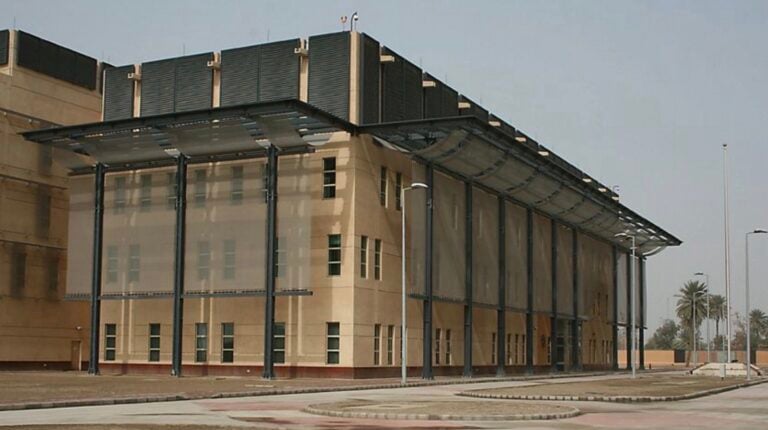
Today we’re going to be taking our very first flight here of the Avata 2 at this abandoned building in Conahakin. They actually just started tearing this down the other day and they’ve been making some great progress. So I’m glad I could get this drone in time and capture what they’ve got going on here because it seems like they’re ripping this place entirely apart.
DJI Goggles 3 Features
Now before we jump into our first flight with the Avata 2 and the RC Motion 3 here, I’ve got to talk about the Goggles 3 because they’ve made some great improvements all around to these goggles. The first of which is the actual fit on your head. The way that these actually just pop up and sit here on the top of my head when I’m talking to the camera is great. They’re nice and comfortable, but when you just bring them down over your eyes, they provide such a nice seal of light around and also give you a nice comfortable fit just around the head.
So you’ve got a lot of your weight pushed up against the back as well as the top on your forehead here, and the goggles just kind of sit around your eyes which really reduces fatigue. I sat in these for like 30-40 minutes last night setting up the Avata 2 and you can just tell that they’re super comfortable to wear for long periods of time. It also seals out all the light so I’m perfectly immersed here inside of these goggles.
Yeah, overall I am super happy with the fit and the finish of these goggles. It’s by and large way better than all the other VR headsets that I’ve used. But let me bring you inside here. You can actually use the RC Motion 3 as a controller to move around the menu here within the Goggles 3. So I can go through all my different settings, I can make different changes. I’m using the trigger right now to actually go and move through all the menus. From here though, I can use the back trigger to go and kind of go backwards in the menus and get back to the main screen here.
It’s really great to see that DJI has added like an Oculus-style remote controller. But that is not it. If I go and double tap the side here, it actually now gives me a view directly through the goggles and it actually cuts out the recording inside of the goggles.
So right now my goggles stopped recording, but just know that using the two cameras here on the front side, I can now see what’s in front of me. Like I can actually look out and see my hand, I can see my controller. The only issue is the field of view is super narrow.
So I’m going to give you a quick recording from my iPhone through the goggles so it’s going to look kind of crappy, but just know that you can actually see directly through your goggles while keeping them on and it also gives you a picture-in-picture view which is awesome.
First Flight with RC Motion 3
All right, so as we get into our first flight using the RC Motion controller, I’ve actually now got a camera view on the controller itself. I know a lot of you have said in previous videos when flying with this controller you’d rather see the controller and not my face as we fly. Don’t worry, I don’t take much offense to that, but I thought it’d be a good idea to show you guys like how I use the remote controller.
From here we’ll go ahead, we’ll double press the lock button, we’ll go and select normal mode, double press again, and then push up on the joystick. I’m going to do my best to keep this centered here in the frame. The joystick might fall out as I go and I try to fly around, but let me just briefly show you this camera here. I’m just going to sit here and let you soak in this image – the sharpness, the colors, the blue sky, the green grass, the dynamic range.
DJI has been doing great things with their cameras as of recent and the Avata 2, as it seems, is no different. I’ve been literally looking at the image in my goggles as it sat here on the center block waiting to fly and I’ve just been kind of drooling. So I’m really looking forward to actually trying to fly this thing and I’m really looking forward to also looking at the footage after the fact, like seeing what you guys are seeing right now off of the SD card.
Okay, so let’s go ahead, we’ll pull the trigger and we’ll start buzzing around. Right now we are just in the normal mode so we’re not going to be flying all that fast, but we’re going to be getting our feet wet. To be expected, right off the bat this does feel like a very similar experience to what you’d get from the RC Motion 2 and the Avata 1.
I mean, really just putting it how it is, it’s not like this is going to be anything revolutionary or ground-breaking. But I think the biggest changes come by way of the improvements made to the camera, to the goggles, to the actual build of the drone, the flight time. Those are the things you’re really buying this for. It’s not necessarily about the different experience. I mean, the max speed of this drone is relatively the same as the Avata.
So I know, again, this is my very first flight, but again, you’re not going to be buying this for a brand new experience. You’re going to be buying it more so because it has all of the new and improved and upgraded specs.
Easy Acro Mode
Now really quickly, as we’re in the normal mode here, I just wanted to kind of show something off. We can go ahead and we can press the lock button to actually lock ourselves in and now we actually have full control over the menu system again using the RC Motion 3. From here, if we select the drop-down, they have an Easy Acro mode here which allows us to actually go and do flips at the push of a button.
And we can do rolls and different things like that. But as I’ve seen here, you can’t actually use the Easy Acro mode when you’re already recording. I don’t know if this is going to be a bug that gets fixed or whatnot, but it’s something that I can’t actually show you without stopping the recording.
So just know that in a future firmware update or in the future, you’re going to be able to hopefully record and then actually do these cool moves with the drone in just one touch, which is something you couldn’t usually do with the RC Motion before. You weren’t able to actually do flips or do rolls or anything like that because of the nature of the controller, but now you’ll be able to easily do it within the normal mode when flying with the RC Motion 3.
Okay, to jump out of this, we’ll click on the screen here, we’ll tap on the lock button, and we’ll go and we’ll start buzzing. We’re going to actually press the mode button, which I think we might need to be stopped. We’ll press mode here. So now we’re in sport and now we’re going to be buzzing around at a much faster speed.
Flying with the RC Motion 3
Now remember when the motion controller first came out, I was flying around and I thought it was a gimmick. And then I started hitting gaps with it in my first flight and I thought, okay, this controller is a lot of fun. So I don’t know, I haven’t done much flying around this area. This is my first time here. I don’t know if there’s going to be any gaps to actually hit.
Also, what makes it tough to be talking while flying, especially with the RC Motion 3, the goggles jump up and down a little bit which makes it a little bit difficult. So I might go quiet, but that’s because I’m going to be really concentrating.
Like I’m going to say that I’m going to come around here, lift the drone up a little bit. I want to try to go through here. Whoop, nice! Yeah, so like to me, the RC controller is very intuitive. I think a lot of people like to beat their chests and say, “Oh, I prefer to fly with the regular sticks.” But I think a vast majority of the people that are buying this drone are really going to enjoy flying with the motion controller. You don’t need to like actually know how to fly manual. You don’t need to be ripping around like crazy. You can just enjoy yourself and fly around and even explore.
If I wanted to, I don’t have to go full throttle. I can go and I can easily go up to this building, maneuver around. I’m going to just lift my goggles up to make sure that I’m still in frame. No, I’m not. There you guys are. Sorry about that. I’m going to go and I can just like fly through the building and have fun. Like I don’t need to be full throttle all the time. I can go and do some exploring, rip out if I want to. I can go over to here. These gaps seem kind of small. It’s a new drone. I don’t know, guys. Whoop, there you go!
So yeah, see, now this is my first flight with the motion controller in a while, honestly, any motion controller between Motion 1 or Motion 2. So this is something that I’m still trying to get fresh on in my very first flight here. The experience again is very similar, but I do really enjoy the new camera. Even just looking through the live feed, the image is nice and clear. They’ve basically taken the FPV experience and just refined it.
I would of course show you the picture-in-picture as well, but unfortunately we know that it cuts out. Oh, there’s a bird. We know that it unfortunately cuts out our live view. See, I know that there’s some people that are really up in arms about the motion controller coming with the goggles and with the drone and having to buy the regular remote separately.
I mean, you know, I understand. I kind of wish that there was a bundle option. Hold on. Like I kind of wish I could bundle up all of my stuff together and say, “Hey, I’d prefer to get the FPV Remote 3 instead of the RC Motion 3.” But again, I think the vast majority of people are really going to enjoy flying the drone with this.
All right, let’s do one more pass around and we’ll wrap up this flight. I think the biggest thing that I’m interested in seeing is the actual video off of the SD card, which of course I won’t see until after the flight. They’ve made some good progress tearing this building down here. Also, the dynamic range looks great. The goggles are super comfortable fit. So all in all, again, taking that same experience and just refining it, that here is what the Avata 2 is looking to do and the RC Motion 3.
Here’s the thing that I hate with the motion controller – actually landing this thing. It is so tough. I’ve got to like look directly down, make sure everything’s good, and then I just usually push down and make sure I don’t crash into anything.
Wrapping things up
Okay, so let’s go ahead, we’ll land our drone here and I’ll get with you guys in a second. All right, so Avata 2 and RC Motion 3 are a lot of fun. The Goggles 3 are super comfortable. Again, as I’ve mentioned, they’re just refining this experience with a much better drone, a great controller, and a much better set of goggles.
But now I’m going to go and grab my regular remote controller for a full-on FPV flight in manual using the Avata 2, which is something that I can’t wait to do. So be sure to stay tuned on the channel for that next video. And as always, I’ll talk to you later. Peace!
Discover more from DroneXL.co
Subscribe to get the latest posts sent to your email.
Check out our Classic Line of T-Shirts, Polos, Hoodies and more in our new store today!

MAKE YOUR VOICE HEARD
Proposed legislation threatens your ability to use drones for fun, work, and safety. The Drone Advocacy Alliance is fighting to ensure your voice is heard in these critical policy discussions.Join us and tell your elected officials to protect your right to fly.

Get your Part 107 Certificate
Pass the Part 107 test and take to the skies with the Pilot Institute. We have helped thousands of people become airplane and commercial drone pilots. Our courses are designed by industry experts to help you pass FAA tests and achieve your dreams.

Copyright © DroneXL.co 2026. All rights reserved. The content, images, and intellectual property on this website are protected by copyright law. Reproduction or distribution of any material without prior written permission from DroneXL.co is strictly prohibited. For permissions and inquiries, please contact us first. DroneXL.co is a proud partner of the Drone Advocacy Alliance. Be sure to check out DroneXL's sister site, EVXL.co, for all the latest news on electric vehicles.
FTC: DroneXL.co is an Amazon Associate and uses affiliate links that can generate income from qualifying purchases. We do not sell, share, rent out, or spam your email.