This FPV Pilot Fixed the DJI Neo 2 With Tape
Check out the Best Deals on Amazon for DJI Drones today!
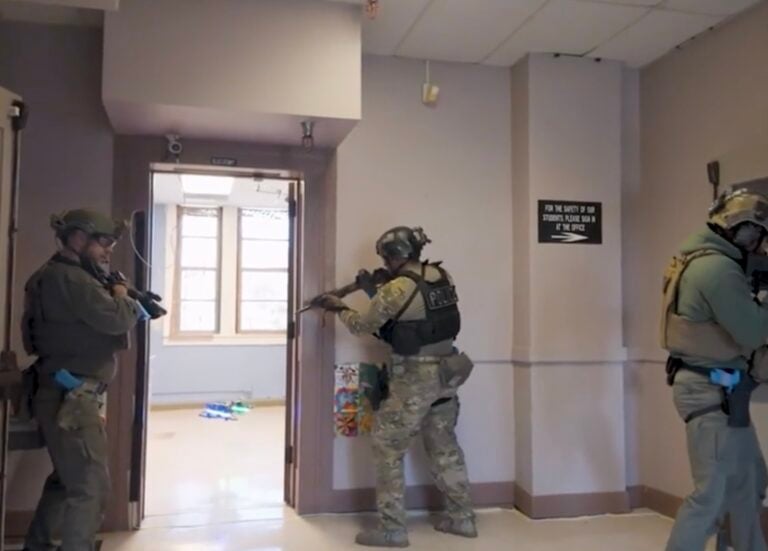
Tom Palmaers is a Belgian FPV pilot, firefighter, and tactical drone instructor at BSSHOLLAND who has built a quiet but serious reputation in the global FPV community for doing something most pilots don’t bother with: actually understanding what’s happening inside the hardware before he flies it.
His LinkedIn is essentially a running technical journal of modifications, bench tests, and field experiments on commercial drones pushed well past their factory limits. His tagline is “Fly Beyond Factory Performance,” and he means it literally.
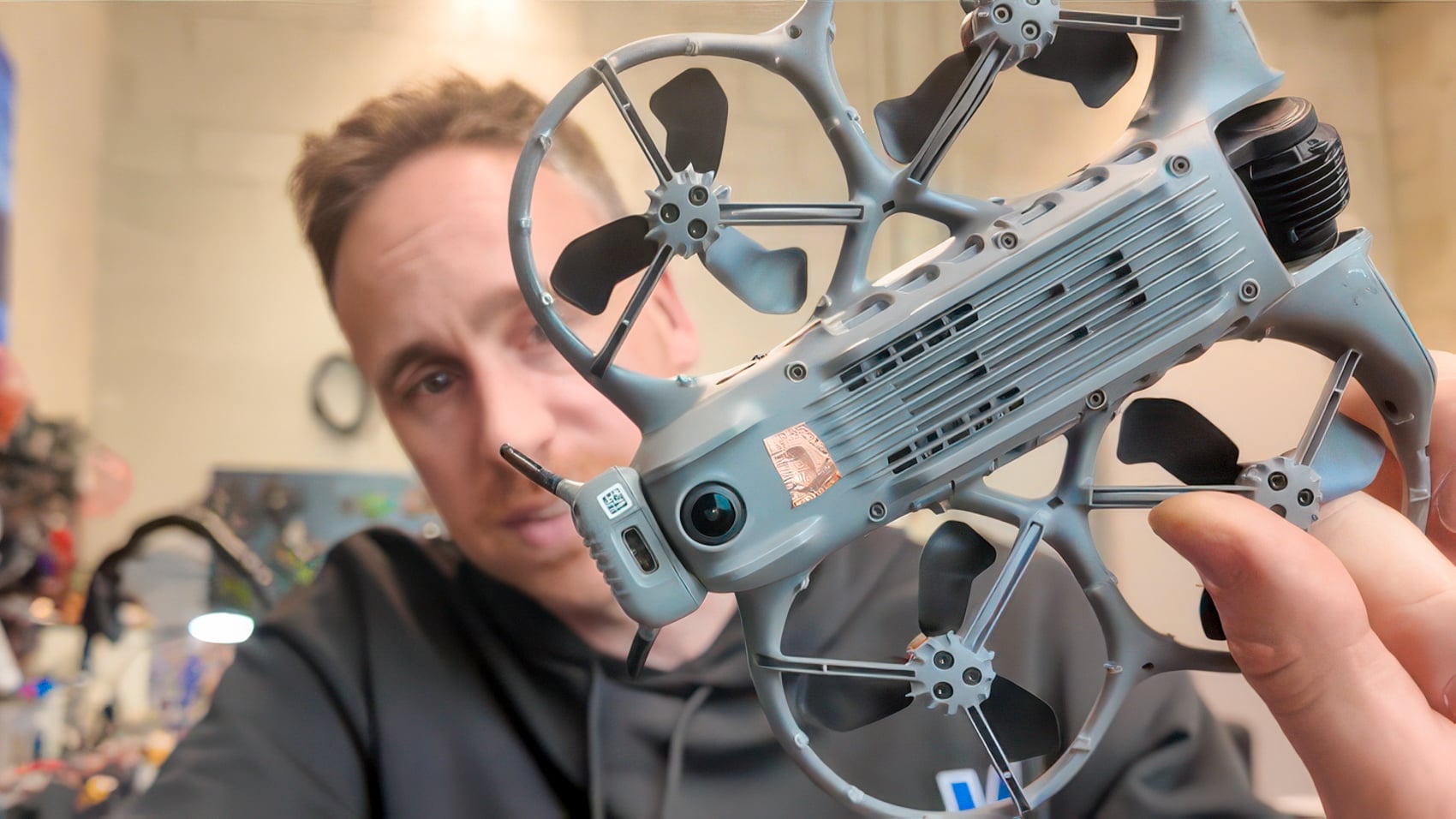
He recently posted something that looked deceptively simple: a strip of tape over the Neo 2’s altitude sensor. The FPV community promptly lost its mind trying to figure out if this was genius or just a man with too much time and a hardware drawer full of Kapton.
It turns out it’s mostly genius. And I’ve logged enough hours on this exact drone to have some additional context worth adding.
Why the Neo 2 Fights You Near the Ground
The DJI Neo 2 is an impressive little machine. It weighs 5.32 oz without the Digital Transceiver module, shoots 4K at up to 100 fps, carries a 2-axis mechanical gimbal, and packs omnidirectional obstacle sensing including a forward-facing LiDAR, downward infrared sensors, and full visual coverage on the sides.
It fits in a jacket pocket and costs less than a nice dinner for two in most cities. For anyone wanting an entry point into FPV, it’s genuinely one of the best options on the market right now.
The problem is the sensor suite that makes it so safe for beginners also makes it a nightmare when you’re trying to fly it inches off the ground. The downward sensors, the barometric altimeter, and the landing protection system all collaborate to keep the drone at a comfortable hover height, and they do not care about your cinematic vision of a low-level glide under a car, a bed frame, or a training scenario obstacle.
The moment you try to push the Neo 2 down to floor level, the safety systems collectively clear their throats and suggest you reconsider. This is not a bug. For the selfie-drone consumer who bought this thing to film themselves hiking, it’s a feature. For Tom Palmaers running tactical proximity training with first responders, it’s an obstacle with firmware.
The Tape Trick and What It Actually Does
Palmaers’ solution was to cover the barometric altitude sensor temporarily with tape, then adjust gains and flight modes to compensate for the missing altimeter data. The barometer is what the drone uses to hold its height precisely when GPS signal is weak or unavailable, particularly indoors.
With it obscured, the drone can’t lock itself at a minimum hover altitude, which allows it to descend smoothly to floor level and execute genuinely low passes without the fight.
The result, per Palmaers, was stable low-altitude flight and smooth landings that have since become a standard operating procedure for specific close-proximity missions and training scenarios at BSSHOLLAND.
It’s the kind of fix that only someone who understands both the hardware and the operational requirement would think to try. Tom has done the same thing before with the DJI Avata, by the way. This isn’t a one-off. It’s a methodology.
What makes Palmaers stand out in the FPV world isn’t just that he flies well. It’s that he publishes his work. His posts on altitude sensor behavior across the Avata 1, Avata 2, and custom FPV builds, his bench tests comparing ModalAI hardware against the Avata 2, his CERRA webinar on tactical FPV modifications for first responders, the GPS removal experiments, the 3D-printed battery retention fixes, all of it is documented and shared openly. In a community where most operators guard their modifications like trade secrets, that’s genuinely unusual.
The Goggles N3 Menu Trick You Probably Don’t Know About
Here’s where my own time on the Neo 2 adds something the LinkedIn post didn’t cover, and it’s worth knowing, because I kinda suffered the same problem when trying to fly low with the Neo 2.
The tape trick is the correct solution when you’re flying the Neo 2 via the DJI Fly app on your phone, or using the RC-N3 controller without goggles. In those configurations, there’s no accessible way to disable the landing protection system that kicks in when the drone detects it’s within about 12 inches of the ground.
That protection cuts motor output and slows the drone to a crawl as it approaches the surface, which makes anything resembling a fast, controlled low pass feel like flying through wet concrete.
But if you’re running the DJI Goggles 3 or N3, there’s a menu path that can help you with this. In the goggles, go to Settings, then Safety, then Advanced Settings, then switch off Landing Protection. The drone stops penalizing you for wanting to fly close to things.
No tape required, no gains to adjust, no SOP to write. It’s sitting right there in the menu, buried under three layers of settings like DJI was slightly embarrassed about it.
The practical implication is clear. The tape trick is the right solution for phone-app and RC-N3 users who don’t have goggles. The menu solution is faster and cleaner for anyone already running the Goggles. Both work. They solve the same problem on different ends of the same product ecosystem. Well maybe the advanced trick that he tried a little later is even better than just deactivating the sensor the way I tried.
DJI Neo 2 specs: what you need to know
The Neo 2 launched in November 2025 and represents a real step forward from the original. Beyond the weight and camera specs already mentioned, its transmission range with the RC-N3 extends to about 6.2 miles in open conditions.
The Goggles N3 connect via the Digital Transceiver module that attaches to the rear of the drone with four screws and a USB-C connection. Battery life is rated at 18 minutes, dropping to a realistic 13 to 15 minutes in active flight. The charging hub handles three batteries simultaneously and gets all three to full in 68 minutes.
The Neo 2 is not currently sold through official DJI channels in the United States due to the ongoing DJI restriction status. American buyers are navigating third-party and import options, which carries the usual warranty and support caveats.
DroneXL’s Take
I’ll be direct: Tom Palmaers found a real solution to a real problem, and the fact that it involved tape is exactly the kind of field-expedient thinking that separates serious drone operators from people who read the manual and stop there.
Tom doesn’t just fly drones. He takes them apart, figures out what’s actually happening inside them, and then publishes what he finds. That’s rare. The global FPV community is better for it.
The deeper point here is about who the Neo 2 is actually designed for versus who ends up flying it seriously. DJI built this drone for someone who wants to toss it in the air from their palm and get a smooth selfie video with zero configuration.
The safety systems are calibrated for that person. But the same hardware in the hands of a tactical FPV instructor running first responder training is a different tool with different requirements, and the factory settings aren’t the right settings for that mission.
Here’s the honest part: the Neo 2 paired with the Motion controller 3 and the Goggles N3 is probably the most capable FPV entry package DJI has built at this price point. I’ve been saying for a while that DJI should sell it with the DJI FPV Controller 3 because that combination as a better dedicated bundle instead of just selling it with the Motion controller 3.
If you’re considering the FPV world and want a single purchase that covers beginner camera drone, follow-me, and first FPV experience under one set of propeller guards, the DJI FPV Controller 3 plus Goggles N3 package is the answer. Someone at DJI should be reading this.
Photo credit: Tom Palmaers
Discover more from DroneXL.co
Subscribe to get the latest posts sent to your email.
Check out our Classic Line of T-Shirts, Polos, Hoodies and more in our new store today!

MAKE YOUR VOICE HEARD
Proposed legislation threatens your ability to use drones for fun, work, and safety. The Drone Advocacy Alliance is fighting to ensure your voice is heard in these critical policy discussions.Join us and tell your elected officials to protect your right to fly.

Get your Part 107 Certificate
Pass the Part 107 test and take to the skies with the Pilot Institute. We have helped thousands of people become airplane and commercial drone pilots. Our courses are designed by industry experts to help you pass FAA tests and achieve your dreams.

Copyright © DroneXL.co 2026. All rights reserved. The content, images, and intellectual property on this website are protected by copyright law. Reproduction or distribution of any material without prior written permission from DroneXL.co is strictly prohibited. For permissions and inquiries, please contact us first. DroneXL.co is a proud partner of the Drone Advocacy Alliance. Be sure to check out DroneXL's sister site, EVXL.co, for all the latest news on electric vehicles.
FTC: DroneXL.co is an Amazon Associate and uses affiliate links that can generate income from qualifying purchases. We do not sell, share, rent out, or spam your email.