DJI Mini 5 Pro: 10 Hidden Features That Make It Shoot Better and Fly Safer
Check out the Best Deals on Amazon for DJI Drones today!
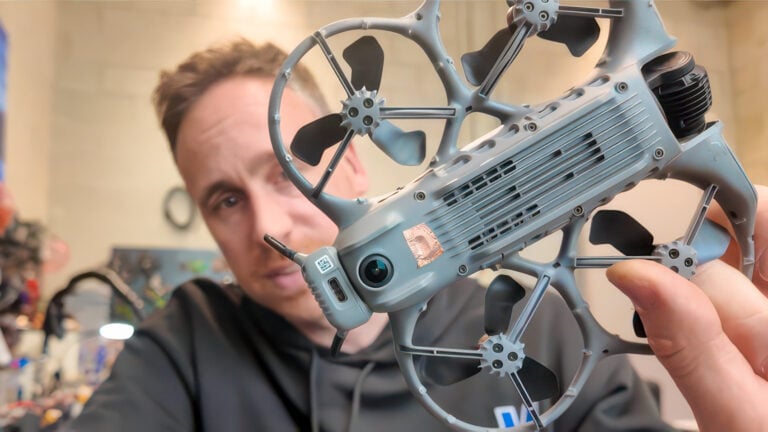
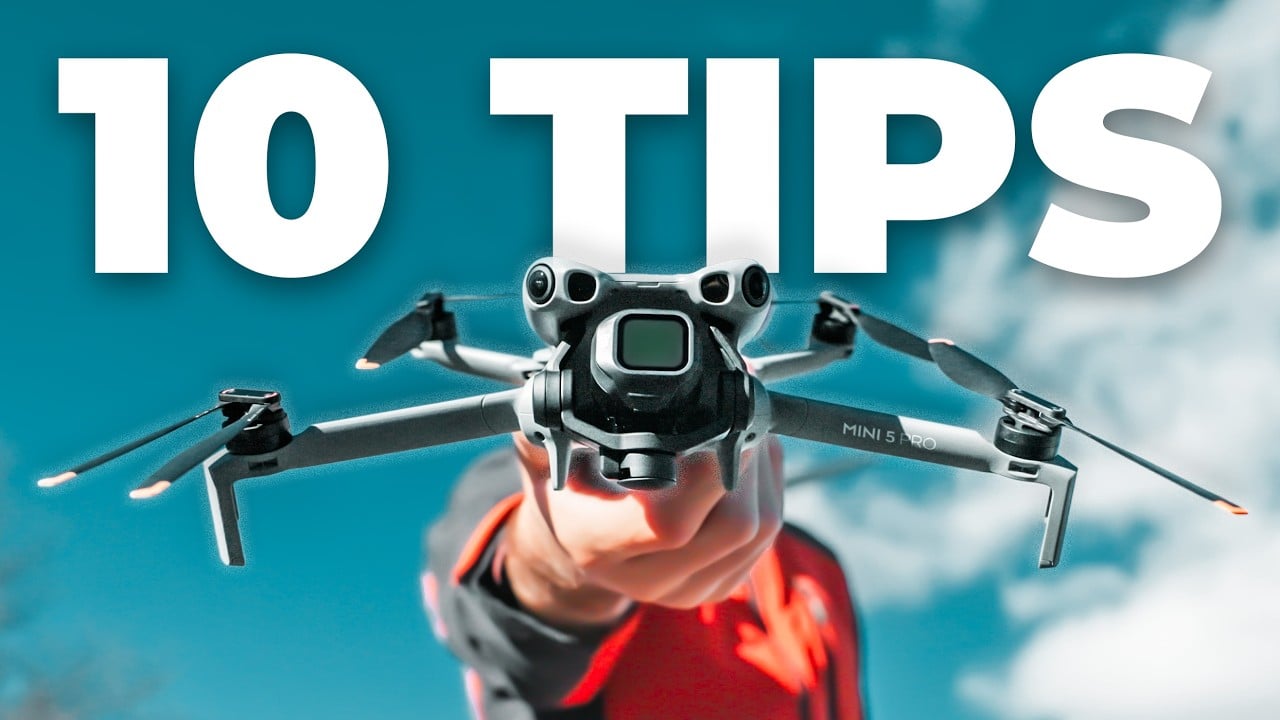
A drone filmmaker who has logged five months with the DJI Mini 5 Pro has shared 10 features that most pilots overlook — some cinematic shortcuts, some safety settings that can keep the aircraft out of trees. The tips, published in a video on the Flying Filmmaker YouTube channel, cover everything from gain and expo tuning to a signal loss setting that nearly every pilot leaves on the wrong default.

DroneXL has covered the Mini 5 Pro extensively since its launch, including its first-look review, an advanced return-to-home demonstration, and a deep dive into its LiDAR sensor system. The Flying Filmmaker tips fill a different gap: day-to-day workflow settings that don’t show up in the manual.
Spotlight Mode Does the Hard Work for You
Tip one is Spotlight mode. Draw a box around any subject on the RC2 screen and the Mini 5 Pro locks the camera on it while the pilot flies freely in any direction. The creator uses it constantly when filming solo, including for the classic rising pullback shot — just fly backward and up, and the drone keeps the subject centered without the pilot managing yaw or gimbal tilt simultaneously. Spotlight works on any subject, not just people: the video demonstrates locking onto a clump of bamboo and executing a smooth side-and-rise move with two sticks. Beginners can pull off complex compositional moves without having to master three-axis stick control at once.
Cruise Control Is Not in the Menu — You Have to Find It
Cruise control doesn’t appear anywhere on the remote’s default screen. To enable it, go to Settings > Control > Button Customization and assign it to a custom button. Once active, the drone locks in whatever stick inputs are currently applied and holds them without further pilot input. The creator combined it with Spotlight for a fully hands-free ascending shot while walking through frame — both modes running simultaneously, no hands on sticks after the move was initialized. One important note: Custom 1 is permanently reserved for ActiveTrack and Spotlight, so cruise control must go on the Custom 2 button.
Gain and Expo Tuning: The Settings That Actually Change How It Flies
The factory gain and expo tuning settings are not optimized for cinematic footage. The creator shares specific values accessible at Settings > Control > Gain and Expo Tuning. For normal mode: max angular velocity at 75°/second, yaw smoothness at 15, brake sensitivity at 100. Under expo: up/down at 0.25, yaw at 0.15, pitch/roll at 0.20. Gimbal tilt max control speed at 15°/second, tilt smoothness at 13, roll speed at 7°/second, roll smoothness at 13. One setting to leave alone: brake sensitivity. Turning it down means the drone won’t stop as quickly and can drift into obstacles.
For sport mode: max angular velocity at 120°/second, yaw smoothness at 15, brake sensitivity at 100. Under expo: up/down at 0.30, yaw at 0.15, pitch/roll at 0.25. Gimbal tilt at 23°/second, tilt smoothness at 15, roll speed at 15°/second, roll smoothness at 13. The Mini 5 Pro settings guide on DroneXL covers cine mode tuning for operators focused on slower, smoother shots.
RC2 Button Customization Goes Further Than Most Pilots Use
Beyond cruise control, the RC2’s C1 and C2 buttons can switch between 1x and 2x cameras, flip between horizontal and vertical shooting orientation, and adjust shutter speed or ISO through a hold-button-plus-dial combination. The creator’s preferred setup: hold C1 and turn the right dial for shutter speed, hold C2 and turn the right dial for ISO. No screen tapping, no menus mid-flight. That matters when the drone is moving and exposure needs to change without breaking a shot.
Dynamic Home Point Follows You in Real Time
The standard home point locks to the takeoff location. Dynamic Home Point, enabled through the Return to Home icon > Update Homepoint > Dynamic Home Point, updates the landing target continuously to the controller’s current GPS position. The map readout shifts in real time as the pilot moves. This also keeps distance-to-drone and estimated return battery time accurate during walking flights — both become misleading if home point is fixed at a location the pilot left ten minutes ago.
The HDMI Output and Mouse Input Most Pilots Ignore
A USB-C to HDMI adapter plugged into the RC2’s bottom port turns it into a video signal source for any external HDMI monitor or TV. The RC2 screen stays fully operational. The creator uses battery-powered field monitors in this configuration, letting clients watch live footage without crowding the pilot. The mouse tip is the less obvious one: plug a USB mouse into a USB-C hub attached to the RC2 and waypoint mission planning becomes much faster. Clicking through a complex mission on a map is faster and more precise than tapping each waypoint on a touchscreen, and it can be done before takeoff rather than wasting flight time in the air.
Vision Assist Shows What the Obstacle Sensors See
Vision Assist displays the live feed from the Mini 5 Pro’s obstacle avoidance cameras in the lower left corner of the RC2 screen. Swipe left or right in that corner to cycle between the map, compass, and Vision Assist. The view updates to whichever direction the drone is flying. Tapping it expands to full screen with the main camera feed moving to a picture-in-picture window. The creator calls this out specifically for winter flying: bare branches defeat camera-based obstacle avoidance because thin twigs are hard for the sensors to detect. Vision Assist lets the pilot see exactly what the avoidance cameras see and judge for themselves.
Manual Focus Lock Stops Autofocus From Ruining Shots
The Mini 5 Pro’s autofocus is aggressive. It refocuses mid-shot when the drone passes a foreground element — a branch, a person in the frame. The creator says this ruined multiple shots in the first weeks with the drone. The fix: tap something distant on the screen, then tap the AF button to switch to manual focus. Focus locks and won’t hunt. Leave it locked whenever nothing in the shot is closer than roughly 50 feet. The drone does apply tracking autofocus to recognized subjects, shown with a yellow box on the RC2 screen.
Two Return-to-Home Settings That Prevent Lost Drones
Under Settings > Safety, two settings interact in ways that can cost a drone. First: Advanced Return to Home. Set to Optimal, the Mini 5 Pro uses its outbound flight map and obstacle sensors to navigate home intelligently. Set to Preset, it climbs to a fixed altitude and flies a direct line back — which only works if the RTH altitude is higher than every obstacle between the drone and the home point. The creator leaves this at 400 feet given the terrain where he flies.
Second, buried in Advanced Safety Settings: Signal Loss. The default is Return to Home. In tight spaces with overhead obstacles, that default sends the drone straight up into whatever is above it. The creator lost a drone to a tree this way. Flying under any overhead structure, change Signal Loss to Hover — the drone holds position until connection is reestablished. Reset it to Return to Home before any long-range flight.
Disabling Downward Obstacle Avoidance for Hand Catches and Ground Skims
Downward obstacle avoidance creates a hover buffer that stops the Mini 5 Pro from descending the last foot or two toward a surface or a hand. For normal landings, that’s fine. For catching the drone from a moving boat or vehicle, the delay makes timing unreliable. For shots that need the camera inches off the ground, it makes the shot impossible. Under Settings > Safety > Advanced Safety Settings, disabling Vision Positioning and Obstacle Sensing removes all avoidance including the downward sensors. The drone drops directly into a hand with no hesitation. Re-enable it immediately after — with sensing off, the Mini 5 Pro will not slow down before hitting the ground on landing.
DroneXL’s Take
The Signal Loss setting buried in Advanced Safety Settings is the one tip on this list that matters most for pilots flying in complex environments. DroneXL covered the Mini 5 Pro’s advanced RTH capabilities at launch, and that system is genuinely good in open airspace. In tight spaces, the default Return to Home behavior on signal loss is a drone-killer. Flying under a canopy, through a forest gap, or near any overhead structure, the correct setting is Hover. That detail alone justifies watching the full video.
The gain and expo numbers are worth keeping. There’s no universal correct set of values, but the combination of 75°/second max angular velocity, yaw smoothness at 15, and expo pitch/roll at 0.20 for normal mode is a solid starting point that pilots otherwise spend weeks dialing in through trial and error. DroneXL’s Mini 5 Pro best settings guide covers the cine mode equivalent for slower cinematic work, and the Focus Track user guide goes deeper on Spotlight behavior within the full Focus Track suite.
Vision Assist will get more attention as mini drone filmmaking matures. Obstacle avoidance that works in summer foliage doesn’t reliably work on bare winter branches, and a direct sensor view changes how pilots approach tight environments. Within two years, DJI will process Vision Assist data through onboard AI rather than pushing the raw feed to the pilot, removing much of the judgment call.
DroneXL uses automated tools to support research and source retrieval. All reporting and editorial perspectives are by Haye Kesteloo.
Discover more from DroneXL.co
Subscribe to get the latest posts sent to your email.
Check out our Classic Line of T-Shirts, Polos, Hoodies and more in our new store today!

MAKE YOUR VOICE HEARD
Proposed legislation threatens your ability to use drones for fun, work, and safety. The Drone Advocacy Alliance is fighting to ensure your voice is heard in these critical policy discussions.Join us and tell your elected officials to protect your right to fly.

Get your Part 107 Certificate
Pass the Part 107 test and take to the skies with the Pilot Institute. We have helped thousands of people become airplane and commercial drone pilots. Our courses are designed by industry experts to help you pass FAA tests and achieve your dreams.

Copyright © DroneXL.co 2026. All rights reserved. The content, images, and intellectual property on this website are protected by copyright law. Reproduction or distribution of any material without prior written permission from DroneXL.co is strictly prohibited. For permissions and inquiries, please contact us first. DroneXL.co is a proud partner of the Drone Advocacy Alliance. Be sure to check out DroneXL's sister site, EVXL.co, for all the latest news on electric vehicles.
FTC: DroneXL.co is an Amazon Associate and uses affiliate links that can generate income from qualifying purchases. We do not sell, share, rent out, or spam your email.




![Review And Rewrite This Article For Publication. Do All Of The Following: 1. Fact-Check: Verify Dates, Locations, Quotes, Agency Names, And Acronyms. Mark Anything Uncertain With [Verify]. Did The Article Reference And Link To The Original Source? Flag If Missing. 2. Devil'S Advocate: In 3–4 Sentences, Assess Whether The Article Is Factually Sound, Well-Written, And Reads As Human. Be Blunt. 3. Humanize: Fix All Ai Patterns — Break Parallel Sentence Pairs, Remove Em-Dashes Used As Dramatic Pauses, Cut Redundant Consecutive Sentences, Remove Rhetorical Counting Devices. Strip These Words: Crucial, Vital, Key, Significant, Notably, Importantly, Essentially, Arguably, Landscape, Ecosystem, Trajectory, Transformative, Game-Changer, Groundbreaking, Unprecedented, Cutting-Edge, Robust, Seamless, Leverage (Verb), Utilize, Going Forward, In Conclusion, In Summary. Vary Sentence Length. Make The Take Section One Editor'S Sharp Opinion, Not A Summary. 4. Seo: Give 5 Alternative Title Ideas, A Permalink Slug, And A Meta Description (Under 155 Characters). Output Order: Devil'S Advocate Assessment → Revised Article With [Verify] Flags → Seo Block.](https://dronexl.co/wp-content/uploads/2025/02/DJI-Dock-3-and-Matrice-4D-and-4TD-Usher-in-Versatile-Drone-in-a-Box-Solution-for-Remote-Operations-0022.jpg.webp)