DJI Avata 360 In-Depth Review: Full Specs Breakdown, Pros and Cons

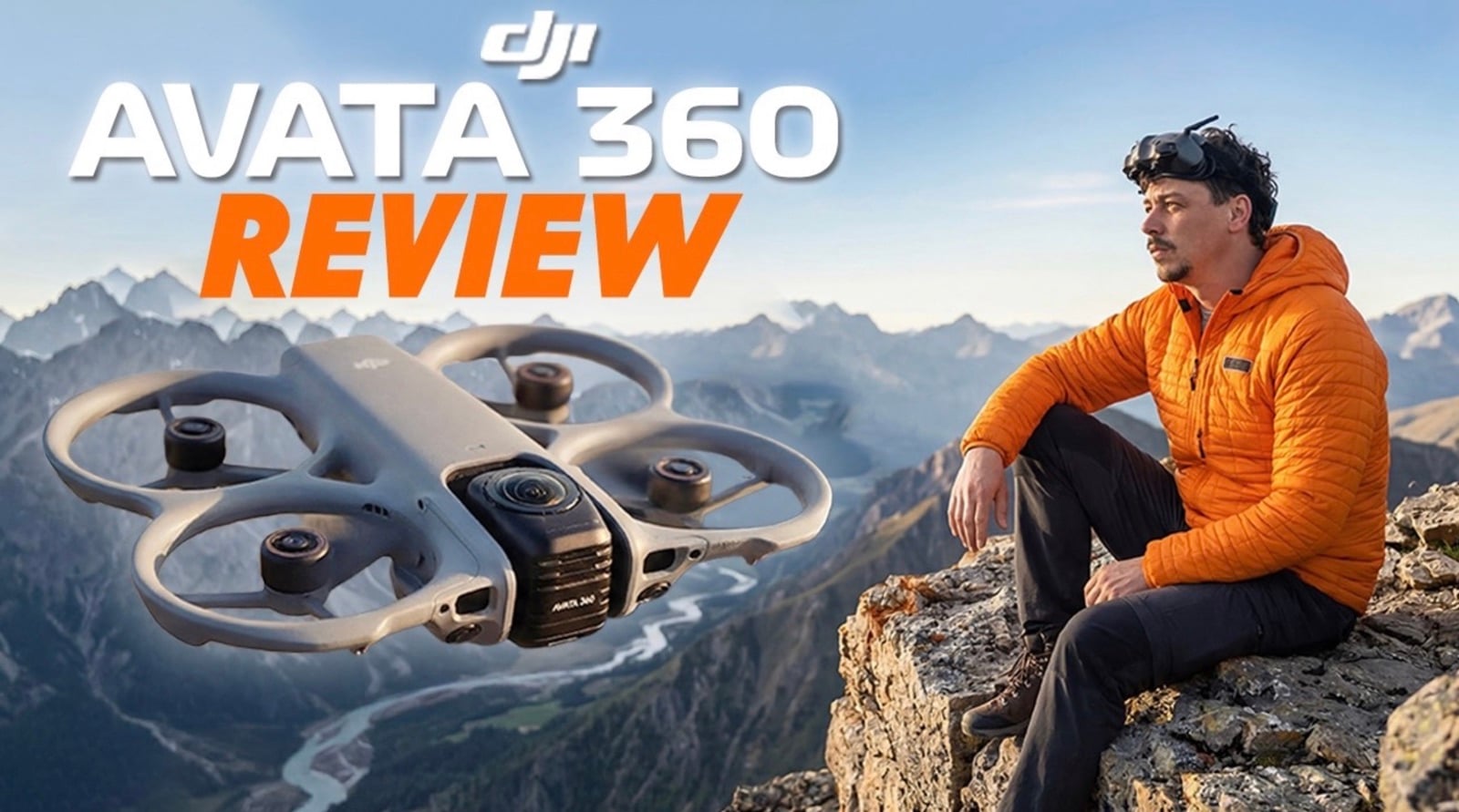
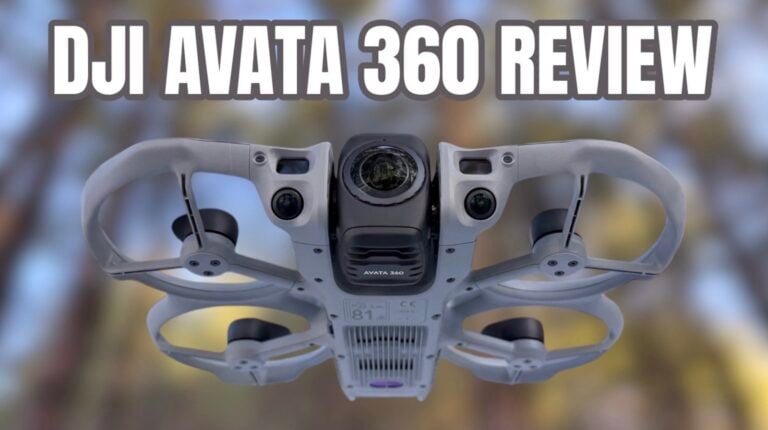
Today I’m breaking down everything you need to know about the DJI Avata 360 so you can decide whether it’s worth it or not. We’re talking 8K 60 frames per second 360 video, a 1/1.1-inch sensor on each camera, 10-bit D-Log M color, O4 Plus transmission, full propeller guards, user-replaceable lenses, omnidirectional obstacle sensing and LiDAR on the front, dual 360 and single lens modes, 42 GB internal storage, intelligent flight modes for automatic following, head tracking for maximum immersion, and a completely different way of flying and filming.

Camera Specs: 8K 60fps and Impressive Dynamic Range
Let’s talk about the cameras because they are the main topic — what everyone is dying to know. We have a 1/1.1-inch sensor on each camera, and as you know, we have two of those, so we can film in 360. We have 8K 60 frames per second footage available on the Avata 360 with 10-bit color, both available in normal color profile and D-Log M. On top of that, we have 120-megapixel 360 photos from the Avata 360.
The two sensors are responsible for the great dynamic range this drone has, as well as the aperture of f/1.9, which makes sure you’re able to get crispy footage even in situations where the light is not enough. And of course, since the footage you’re able to create is 8K 60 frames per second, you can reframe it and still have very usable 4K output — and that’s in 60 frames per second, meaning you can slow it down if you really need to emphasize what you’re recording.
As a matter of fact, I developed my very own LUT that works with just one click that you can use for D-Log and D-Log M footage. D-Log M is what we have here on the Avata 360, to quickly color grade from flat and boring to really nice, punchy, and vibrant footage with just one click. I’ll link it below if you want to check it out — it really speeds up the whole workflow.
The 360 Workflow: One Flight, Multiple Angles
Workflow is a word you will have to get used to hearing when we talk about the Avata 360 because, as it’s a 360 drone, it works in a very different way. Obviously, it records everything around it and then you have the freedom to go back in post and reframe everything as you wish. You only need to fly one way, and from that one way you can create multiple different angles and multiple different perspectives that otherwise take a lot more time and obviously are not possible without 360 video.
O4 Plus Transmission: The Silent Hero
The O4 Plus transmission system on the Avata 360 is the silent hero of this drone. Let’s be honest — if you don’t have good signal, you will regret buying this drone because it will just ruin the whole experience if you get stuttery transmission and can’t even enjoy the flight. With O4 Plus, you don’t have to think about any of those things because the transmission is rock solid.
DJI has been working on O4 Plus for such a long time, with previous iterations of their transmission system developed to a point where you just have good signal no matter what — unless you go really far behind some very solid obstacles, you will not have problems with the transmission. That makes for a huge, huge, huge impression when flying this drone, especially when directly comparing it to its bigger competition, the Insta360 X4 — but I’ll leave that for my next video.
The O4 Plus gives you a maximum flight distance of up to 20 kilometers, which of course is in FCC mode in perfect conditions without any obstacles. But still, even in areas with strong interference, you will not have any issues with the signal. I’m telling it as a person who flies in CE mode where the range is a lot less than those 20 km — I’ve never experienced any issues with my Avata 360 transmission. That’s a great point for it.
Six Ways to Control the Avata 360
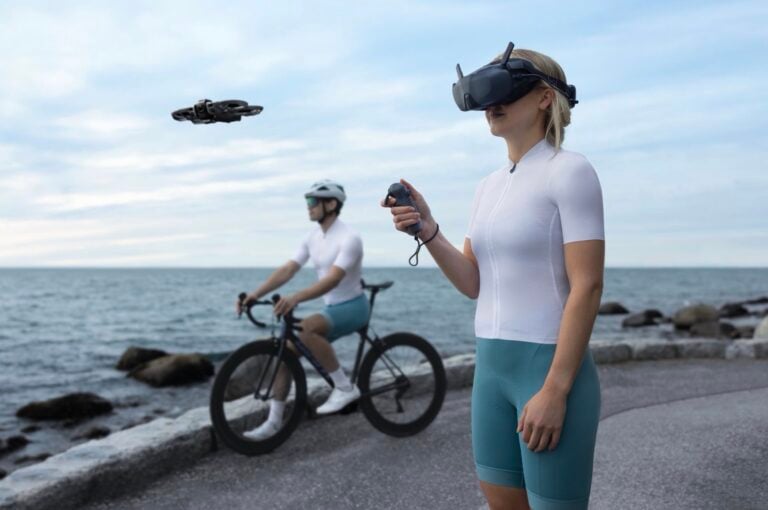
One of the strongest points of the Avata 360 is the variety of ways to control this drone. Let me show you what you can use to fly it, because it gets quite ridiculous. First, we have the option to fly with the RC Motion Controller 3 and the Goggles 3 or the Goggles N3 — the cheaper goggles you can also get with the Avata 360, or use if you already have them. If you don’t want to use the Motion Controller 3, you can use the FPV Remote Controller 3, which gives you more precision and better accuracy. Unfortunately, when using this, you don’t have full manual mode on the Avata 360 — it’s just basic normal and sport mode. Full manual acro mode is not supported on the Avata 360.
However, if you don’t want to use FPV or you get sick from the motion, you can also fly with the RC 2 — the remote controller with the built-in screen — and use it more like a traditional drone. It will still record 360 footage; you just don’t have the goggles on your head. Beyond that, you can also use the RC N3 or N2, old remotes that pretty much everyone who has dealt with a DJI drone has lying around. If you have the RC Pro 2, you can also use it on the Avata 360 — not yet supported at the time of this video, but coming very soon. So take a quick look at how many different remotes we have: six different ways of controlling this drone with your hands. This is getting quite ridiculous. You don’t have to buy a new remote if you already have one — it really depends on what you want to do with the drone and how you want to fly it.
How It Flies: Safe, Stable, and Smart
Since it’s a cinewhoop, it has all the ducts protecting the propellers, meaning this drone is extremely safe to fly around people, close to them, and to be used in a more aggressive way — because everything is safe, secure, and the propellers are completely tucked away and guarded by the prop guards. On top of that, we have omnidirectional obstacle avoidance, meaning the drone knows where all the obstacles are and will detect and avoid them. We have LiDAR on the front, which makes flying even in dark environments extremely safe because the drone is able to detect obstacles on the front even when you can’t see them well from the camera.
One of the most interesting new features on the Avata 360 is Spotlight. We have Spotlight Free mode and Spotlight Standard. With Free mode, you can fly this kind of like an Inspire 3 — you don’t have to think about the position of the camera, only about flying the drone. Simply select a target and enjoy the flight; the drone will keep the subject centered and framed in the middle while you focus on the flying. In Standard mode, the camera lens stays focused on the subject while the user operates the joysticks to move the drone around relative to the subject. We also have Active Track 360, a known feature from many other DJI drones that works super well here too — it will actively track a subject and move around while keeping them in the middle of the shot, whether cycling, riding a bike, following a car, and so on.
Dual Lens Modes: 360 and Single Lens
DJI has done something genius about the cameras on the Avata 360. If you want, you can use just the main camera on the front — your regular camera — in single lens mode, meaning you don’t have to reframe afterwards. You’re not recording 360 footage. That’s extremely handy for some situations where you only want that front look, maybe for some indoor FPV flying or other scenarios where you don’t feel like reframing your shot afterwards, and you can use this as a traditional FPV drone.
If you don’t want that, you can switch to 360 mode, which changes the orientation of the lenses so one is looking up and the other looking down, recording the whole area in 360 — giving you all the freedom to look around and reframe your shot as you wish. The maximum resolution in single lens mode is 4K 60 frames per second, and in 360 mode, we have 8K 60 frames per second.
Pricing: Competitive and Flexible
I have the pricing list here for the Avata 360, so you’ll have to excuse me as these are in euros. I’m extremely happy to see that DJI has priced this very competitively, especially compared to the competition. The RC 2 version — just the drone and the remote — is €719. The Fly More Combo, which comes with three batteries total and the RC 2, is €939. That’s the same price as the Fly More Motion Combo, which comes with the RC N3 goggles and the RC Motion Controller 3 — your FPV bundle, which I highly encourage you to check out because it’s the most fun way to fly, at least in my opinion.
I also want to mention the lens replacement kit, which you can buy for €25 with all the tools and everything necessary. If you just want the lens kit without the tools, it’s €21. So you don’t have to worry about scratching the lens. While making this video, I got the news that there will also be a DJI Avata 360 drone-only option for €459, which is great if you already have the accessories and don’t want to spend more for something you already own.
Flight Time: Realistic Expectations
DJI claims a maximum flight time of about 22 to 23 minutes per battery. The real flight time obviously depends on weather conditions, how much throttle you’re giving, which remote you’re flying with, and what the temperature is. Let’s just say 18 to 20 minutes is a good estimation of what you can expect from the battery life of the Avata 360. I believe that’s a pretty good amount of flight time — not the best, but also not the worst for an FPV drone that gives you 8K at 60 frames per second.
The Downsides: Stitch Lines and Wobbles
Some things I didn’t enjoy in my flying with the Avata 360 were the stitch lines, which were kind of harsh and very visible, and also the wobbles. Since this is a cinewhoop, the wobbles are just impossible to avoid because of the way air goes through the props and the way the frame is made — it’s just physics. And since you don’t have an actual gimbal and rely on electronic stabilization, it’s impossible to get rid of those shakes completely. So sometimes you end up getting them in your footage.
When it comes to the stitch lines, DJI had a lot of negative feedback from some of the early impressions videos that came out earlier this month, and they quickly released a new firmware update that severely improved the situation. The stitch lines are now a lot less visible, and they’re going to keep improving things. Obviously, since this is their first 360 drone and only their second 360 product after the Osmo 360, they still have a lot to learn when it comes to dealing with those little things that can ruin your footage. I saw a massive improvement from the first firmware I was using on the Avata 360 to the latest one I got just a couple of days ago — it’s looking a whole lot better than before.
Editing 360 Footage: DJI Studio and Third-Party Plugins
When it comes to reframing your 360 footage, you have to use DJI Studio. As far as I know, the DJI Fly application or possibly some other application may also offer the option to edit footage there in the future, but for now it’s DJI Studio. I’m not the biggest fan of the app because it doesn’t give me full control over the smoothness of the keyframes and some of the features I need. But there’s a workaround — if you’re using DaVinci Resolve, there are plugins available. If you’re using Adobe Premiere, there are also other plugins that will let you edit 360 footage and give you full control over keyframes and everything else.
Those are things I will be talking about in upcoming videos, because there’s a lot to learn when talking about editing 360 video, and there will be a lot of tips and tutorials on how you can maximize your experience with 360 footage. For the most part, I’m very happy with how the footage looks and what you can do with 360 footage coming out of the Avata 360. Very impressive drone that I will be posting a lot more videos on in the upcoming days and weeks.
Stay tuned — my full comparison with the Anti-Gravity A1 is coming next. Make sure you’re subscribed so you don’t miss it!
This article is based on a video by Drone Supremacy on YouTube. Mike / Mihail Svilenov is a contributor to DroneXL. You can find more of his content on his DroneXL author page.
Discover more from DroneXL.co
Subscribe to get the latest posts sent to your email.