
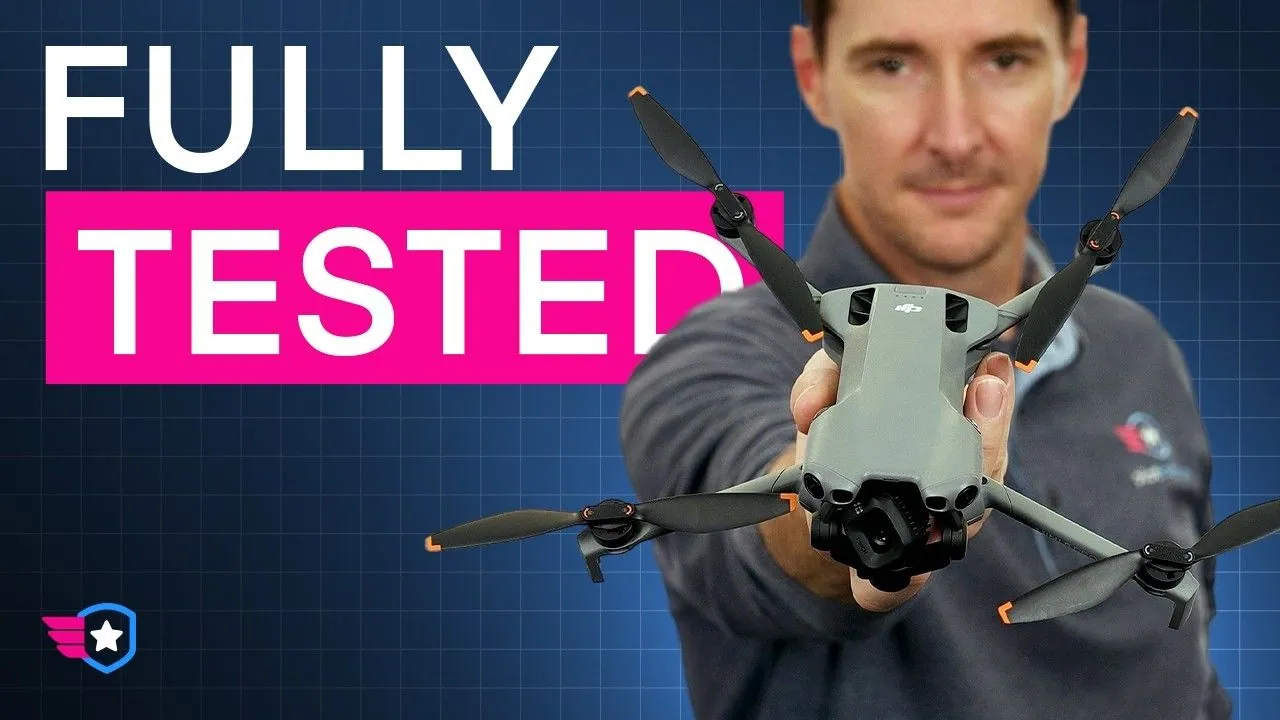
DJI put a 1-inch sensor into a drone that weighs less than a can of seltzer water. We’ve had time to move past the launch and really put the DJI Mini 5 Pro to the test, so this is my long-term review: the camera, the video modes, the intelligent flight modes, the safety systems and how it flies.
I’m Greg from Pilot Institute. We have trained over 450,000 pilots and tested dozens of drones. By the end of this, you’ll know what the Mini 5 Pro does well, where it falls short, and whether it’s the right tool for you.
The 50MP 1-Inch Sensor Is the Main Reason to Buy the Mini 5 Pro
The Mini 5 Pro has a 50-megapixel 1-inch sensor behind a 24mm equivalent lens with an f/1.8 aperture. The Mini 4 Pro only had a 1/1.3-inch sensor, so moving up to a full 1-inch chip is not a minor spec bump. It’s the leap Mini owners have been waiting for.
There are other helpful upgrades, like true vertical video, gimbal rotation and 42 GB of internal storage, which is enough that you may not need an SD card. But the camera is the reason you’re going to buy this drone.
A larger sensor gathers a lot more light. That means cleaner shadow detail, richer colors and more flexibility in post. A bright sky over a dark foreground wrecks smaller drones, because it forces you to choose between a blown-out sky and a black background. The Mini 5 Pro holds detail in both, so it works very well near sunset or as the light fades.
That doesn’t mean every night shot looks clean. The dark parts still get grainy, because the ISO has to climb to pull out the detail. What I really like is how deep into the evening you can keep shooting before the image falls apart.
During the day, the f/1.8 aperture lets in so much light that you need ND filters to keep the 180-degree shutter rule and natural motion blur. They’re absolutely a must.
The 2x Medium Tele Mode Crops the Sensor Instead of Adding a Second Lens
Like the other Minis, the Mini 5 Pro has only one lens, so DJI added a 48mm equivalent medium telephoto mode. In flight you switch between 1x and 2x, and the 2x view crops into the 50MP sensor for a lossless 12MP image instead of a typical digital zoom.
It’s like zooming in afterwards using all the pixels you have. That’s handy for a subject that’s a little further away, or when you want more parallax in your shot. Still, neither view is a true optical telephoto, and if you’ve flown a drone with a second lens, you’re going to miss it. That’s the honest trade for a drone this small and this light.
4K at 120 fps and D-Log M Give the Mini 5 Pro Room to Work
The Mini 5 Pro records 4K at up to 120 frames per second, which is huge for a mini drone. Previous models topped out at 100 fps. In 1080p you get super slow motion at 240 fps, and all three color profiles record 4K in 10-bit H.265.
For most of our flights, we film 4K at 30 fps and only go higher when we want to slow the footage down in post.
Normal is the easy choice when you want good video and less editing. You give up some dynamic range, but the footage looks great and colorful straight out of the camera. In Normal you can also step down to 1080p, where you’re capped at 8-bit H.264.
D-Log M gives you a lot more room to change colors in post, which helps when you need to match other cameras or you’re shooting a heavy-contrast scene. The Mini 5 Pro has great dynamic range, and D-Log M keeps more information in the highlights and shadows so you can really push the grade.
HLG is the HDR video format. It also gives you high dynamic range, it has a bigger color space, and it needs less adjusting in post, but you need an HDR-compatible screen to take full advantage of it.
A flat profile is not always the best choice. If you don’t plan to color grade, Normal will serve you better. If you want the most out of this drone, take the time to learn proper color grading. We typically film in D-Log M.
True Vertical Video Rotates the Gimbal for a Full 4K Frame
The Mini 5 Pro physically rotates its gimbal for vertical video, so you get a full 4K vertical frame. The Mini 3 and Mini 4 did the same. The Air 3S crops inside the sensor instead and maxes out at 2.7K, so this is one thing the Mini does better.
If you make content for Instagram, YouTube Shorts or any social media, it’s a great feature to have. We have friends who fly this drone over the Air 3S specifically for that reason.
Honestly, I’m a big fan of 16:9 content. There’s more to work with, and I think it’s more cinematic at the end of the day. But some shots have a natural composition that works well vertically.
The gimbal also has 225 degrees of controllable roll for tilted horizons and smooth spinning shots. That’s a fun tool, but probably not a reason to buy the drone by itself. If you shoot a lot of social media content, the vertical video might be.
The Mini 5 Pro Is the Best Size-to-Quality Trade for Video and Photos
After flying it for a while, the best part is the mix of size and image quality. You can carry the Mini 5 Pro almost anywhere and still get video that looks like a paid job, with a sharp image and colors that are easy to work with.
Photos come in 12MP or 50MP, as JPEG or DNG RAW. The 50MP mode shows a lot more detail in good light, but more pixels don’t always mean a better photo. The 12MP mode can work a lot better in low light or when your subject is moving. RAW is best when you want to fix the light, color or white balance in software afterwards.
All of these modes can make the setup a little hard to learn. That’s why we made free deep dive courses on every drone we review, and the Mini 5 Pro one is linked in the video description.
Obstacle Avoidance Is Night and Day, but ActiveTrack Still Needs Open Space
The Mini 5 Pro senses obstacles all the way around, with forward-facing LiDAR and a downward infrared sensor. We’ve tested a lot of the newer models, and obstacle avoidance has improved a ton over maybe the last 10 years. I’ve rarely seen it fail in regular conditions with larger objects.
The safety system lowers the risk, but you still need to pick a safe flight path and keep a safe distance from obstacles that little camera may not see. That matters even more with ActiveTrack.
The Mini 5 Pro has ActiveTrack 360 and Spotlight, plus a trace wheel in the app that lets you choose the drone’s position around your subject. If you’re a solo creator, this can be one of the best tools on the drone.
The two modes are very different. Spotlight keeps your subject framed while you stay in control of the flying. ActiveTrack hands the flight path over to the drone. In a wide open field, that works great. Near trees, wires, houses or hills, it can get a little tricky.
I’ve crashed the DJI Neo quite a few times using ActiveTrack. Granted, I was running, and it was following me and going all the way around. Luckily, the drone was okay and it’s still flying.
Reported 254 g Weights and Wind Are the Mini 5 Pro’s Real Limits
DJI lists the Mini 5 Pro at 249.9 g, with a variance of plus or minus 4 g, and a lot of people have reported drones that weigh up to 254 g. You can still fly one recreationally, but at that weight you have to register it with the FAA.
For a lot of folks, that’s not really an issue. (The FAA has no weight tolerance at the 250-gram line.) The good news is that the Mini 5 Pro comes with Remote ID built in as standard, so you won’t have to add a module on top of it.
Wind is the other thing to consider, as with any Mini drone. The Mini 5 Pro is rated for Level 5, so it can potentially handle gusts up to 24 mph. From experience, I can tell you it struggles a little in winds over 20 mph. I recommend staying closer to 15 mph so you’re not stressed out while you fly. The Air and Mavic series show a big difference here, in performance and in battery life.
Buy the Mini 5 Pro for Travel and Social Video, Skip It if You Need Optical Zoom
Buy the Mini 5 Pro if you want very good video from a small drone that’s easy to carry and quick to deploy. It’s a strong pick for travel, social media, real estate, solo video work and some paid jobs. It also fits pilots who need true vertical video.
Skip it if you need an optical telephoto lens. The Mavic or the Air is probably the better platform if you want to fly in stronger winds, and if you already own a drone that does everything you need, you don’t need this one.
For the right pilot, I think this is one of the best small camera drones you can buy right now. The choice comes down to one question: which features matter most to you as a pilot, a photographer or a videographer?
This article is based on a video from our YouTube partner Greg Reverdiau. Watch the full DJI Mini 5 Pro long-term review on the Pilot Institute YouTube channel, and find more of Greg’s work on his DroneXL author page.


