Comprehensive Drone Buyers Guide 2026 – Best Drones For Beginners to Pros
Check out the Best Deals on Amazon for DJI Drones today!
If you’ve been wondering what drone to buy in 2026, then this is your complete guide. We’re going to run through everything from the little follow drones to the prosumer drones if you want to get really good high-quality video and photo work, all the way up to professional-level drones and everything in between, to give you an idea of what drone you might want to buy depending on what you want to do with it.
And if you’re in the US, all of these drones are legal to buy and have been approved for use in the United States. I put links in the description where you can currently buy them, even if some of them haven’t officially been released in the US. All of these drones are totally approved and totally able to be used in the United States.
Before we go any further, you need to know that this video isn’t sponsored, and most of these drones I purchased myself because I use them a lot in my work. There are a couple that I was sent, and I’ll let you know which ones those are as we go through.

What do you want to do with a drone?
Before you jump into buying a drone, you need to decide what you’re going to do with it. Are you going to just have a drone that follows you around, which are these follow drones? Are you going to want to do something like FPV, which right now the only really good commercially available option is the Avata 2? FPV is very different from normal GPS drones. Or do you want to do some more high-quality video and photo work, in which case you’re going to want to look at something like the Mini 5, the Air 3S, or even the Mavic 3 or 4?
Budget drones: Don’t spend less than $200
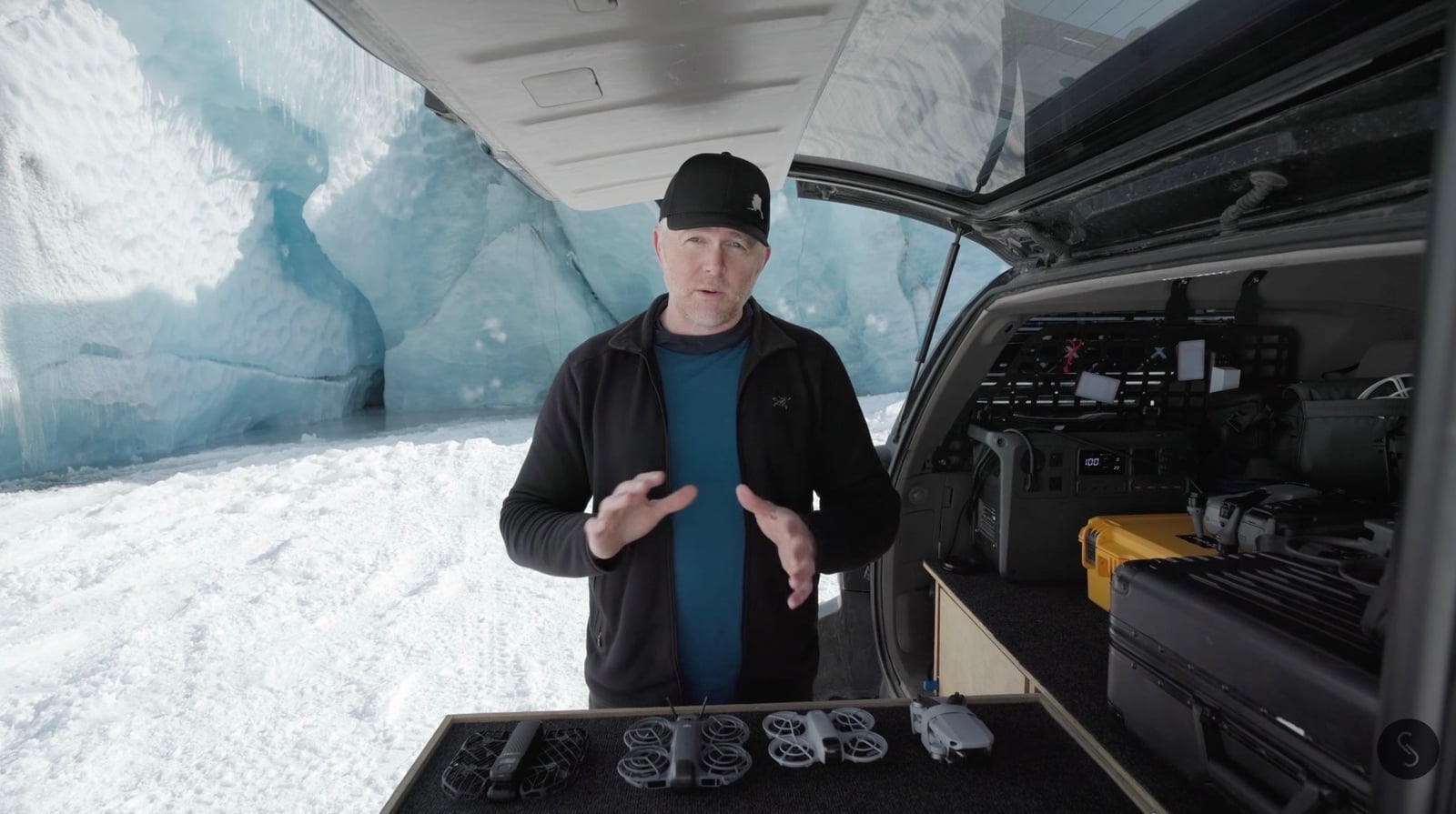
If you’re just wanting to jump into drones, try them out, and see if you even like it, there are a couple of rules I recommend you follow. One is you don’t really want to spend less than about $200 to $250. Cheaper drones are toys. They will fall apart. They will wreck. They will fly erratically. Save yourself the hassle and just get something in that $200 to $250 range.
The good news is that for around $200 to $250, there are actually some really good options.
Follow drones: Hands-free flying
In the budget category, there are a couple of different options. You have these follow drone styles, which are great for just throwing into the air and having them follow you through a scene — biking, walking on the beach, whatever.
There are a couple of different options here. You also have the more standard GPS-style gimbal drone, where the DJI Mini 4K is a great option. It gives you nice 4K footage, some good 12-megapixel photos, and operates very much like any traditional drone, but it’s fairly inexpensive at about $250. This was one of the drones that I was sent.
If you’re wanting to experiment a little more with drones but you still don’t want to spend a lot of money, the DJI Neo is a great option. Depending on which controller you pair it with, you can pair it with the RC 2 screen — and if you’re going to get a controller for any drone, I recommend one with a built-in screen. It’s just much easier than using your phone.
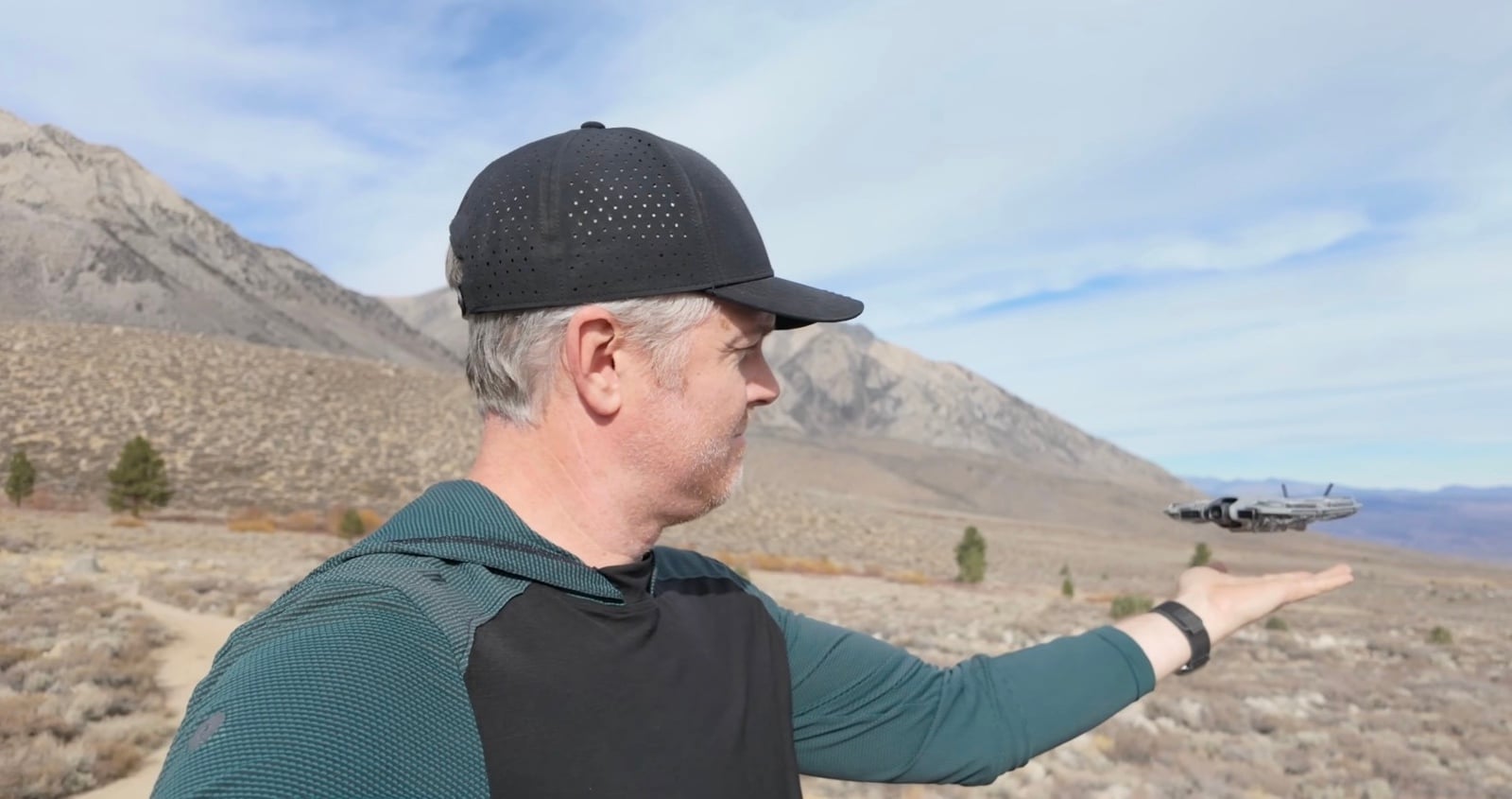
The Neo 1 and the Neo 2 can actually let you experience both a follow drone that can be operated with no remote — you can just push buttons on it, have it do what you want, follow you, or do a specific QuickShot — and they can also be flown with goggles acrobatically. So if you want to experiment with FPV, the Neo 1 and Neo 2 are a pretty good option to try out.
The original Neo is about $150 to $180 for just the drone, but you’re going to want a few batteries because battery life is pretty short. Definitely get the package where it’s around $200 to $250 to give yourself extra flight time. The Neo 2 is a fair bit more expensive, around $300 to $400, but it does give you a lot more options, better battery life, and better-looking footage and photos.
Hover Air X1 Pro Max: The 8K pocket follow drone
Another contender on the market is Hover Air, made by Zero Robotics. The Hover Air X1 Pro Max films in 8K and is a really great small follow drone. There is a less expensive version — I’ve seen it at Costco for around $350. If you’re wanting a really great foldable small drone that you can throw in a backpack and take with you just about anywhere, one that weighs next to nothing, the Hover Air X1 Pro Max is a great option. This was also a drone that I was sent.
All of these follow drones, except for the Mini 4K which does require a remote, are really built for you to send the drone up and have it do specific things without needing a controller in your hand. If you do a lot of biking, walking, hiking, or anything like that and you want to capture shots of yourself or someone with you, these drones are all really great. They also work for skiing to an extent, though with downhill skiing you can get some pretty extreme speeds and they may not be able to keep up.
Sub-250 gram rules and Remote ID
When it comes to these little follow drones, the best part is that if you’re not operating them commercially, they all are under 249 grams, which means you don’t have to register them in most places. It’s somewhat less restricting on where and how you can fly them because they are so small and lightweight.
But if you’re operating commercially, at least in the US, you still need to register them, and in most cases you also need to transmit Remote ID. The only one that does that natively is, oddly enough, the Hover Air X1 Pro Max. The rest would require an added Remote ID module.
Of these drones, the only two that have obstacle avoidance are the Neo 2 and the Hover Air. Both have worked well in some cases and not in others.
DJI Flip: The oddball ducted-propeller drone
There’s another drone that’s somewhat of an oddball, and it’s the DJI Flip. It’s sort of interesting because of its ducted propellers. It’s built to fly like the Neo 1 or the Neo 2, but honestly, if I was going to get one of these, I’d probably just get the Neo 2 over the Flip because it’s kind of a weird product. I don’t really know why they came out with this.
That said, it is a useful drone. It’s a great follow drone, you can fly it like a standard drone as well, and it has a full-on gimbal with D-Log M and all that. So if you want to get into drones and you think you want a log profile where you’re going to color grade in post, the DJI Flip might be the drone for you.
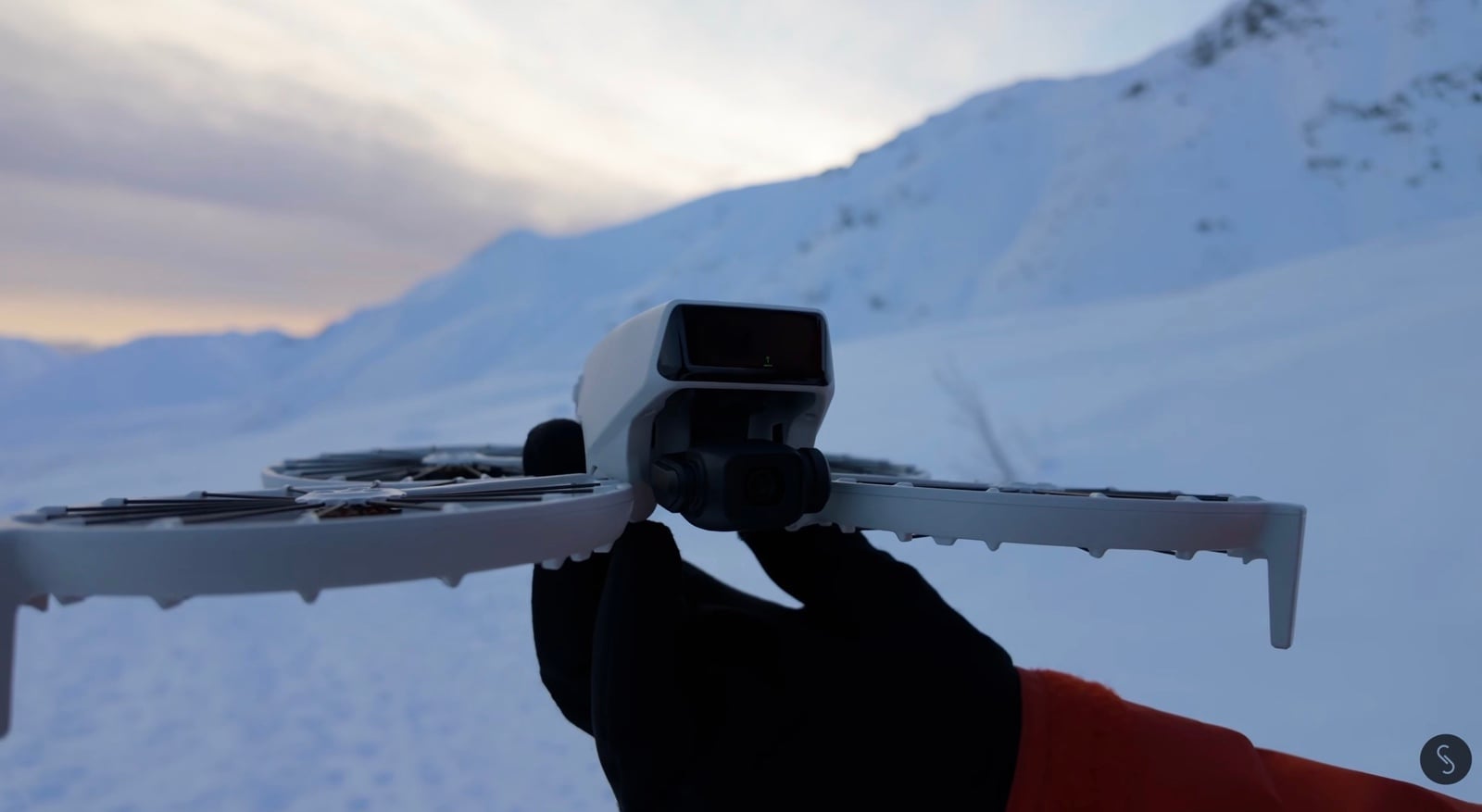
There are also some alternatives to these mini drones from a company called Skyrover. From what I can see, they’re very similar to DJI, and the quality looks very good. I haven’t had the chance to test them directly yet, but I’m hoping to change that soon.
Prosumer drones: DJI Mini 3, Mini 4 Pro, and Mini 5 Pro
Then we come into the prosumer and more pro-level drones that offer higher image quality, longer flight times, better flight characteristics, and more durability.
The DJI Mini series — the Mini 5 Pro, the Mini 4 Pro, and even the Mini 3 Pro — all fit into this category, though I’d put the Mini 3 Pro more into the budget category. It takes okay video and okay photos, but it’s a great little drone.


The Mini 4 Pro gets great image quality and great photos. Both the Mini 3 and Mini 4 Pro are fantastic drones. This is where you start to be able to film in log profiles and get some pretty decent flight time. One thing that sets the Mini 3, Mini 4, and Mini 5 apart is that they can all film natively in vertical video. You get full 4K vertical video and also smart modes like Follow Me, tracking, and all of those sorts of things, along with a higher-grade image.
Don’t think you can’t use these little drones for commercial work, because I’ve absolutely used them on a fair amount of commercial projects. The image quality, especially out of the Mini 4 Pro and the Mini 5 Pro, is fantastic — until you start getting into much lower light, like way after sunset. But even then, they can still produce some really great results.
The Mini 3 and Mini 4 Pro are both under 250 grams, which means in most cases there’s less hassle in many countries regarding where, when, and how you can operate them. If you’re operating commercially in the US, you still have to register them. If you use heavier batteries, they will transmit Remote ID and be compliant. I personally just use the heavier-weight batteries because they transmit Remote ID, and I’ve had to register the drone as a commercial aircraft anyway.
Mini 5 Pro: The hiking drone with a 1-inch sensor
The Mini 5 Pro is the newest, latest, and greatest, and it is fantastic. It is slightly over 249 grams, so there’s a little gray area in some places as to whether it qualifies for the ultralight category. Check your local rules and regulations.
If you’re going to be hiking a lot but want a good-quality drone to take with you, the Mini 5 is great. The difference between the Mini 5 and the Mini 4 Pro is that the Mini 5 adds a larger sensor — it has a 1-inch sensor on the camera — and gives you a 2x lossless 4K crop-in, so you get a different focal length option. It’s really an excellent little drone. You get about 40-something minutes of flight time with the longer batteries I use, otherwise you’re in the 30-minute range.
All three of these drones have obstacle avoidance, but obviously the Mini 3 has the least effective, the Mini 4 is better, and the Mini 5’s is the best.

DJI Air 3 and Air 3S: The sweet spot
If you want to bump up to something a little bigger, heavier, and more capable, you get into the Air 3 and Air 3S.
The biggest advantage that the Air 3 and Air 3S give you is two cameras. One is a wide-angle 24mm camera that gives you great image quality — you can film in 10-bit D-Log M and get some really fantastic video and photos. Then you also get a second 3x or 70mm camera, which allows you to punch in and get some really cool shots with lots of parallax. You can isolate your subject against backgrounds and bring the background closer in, making it feel more true to life.
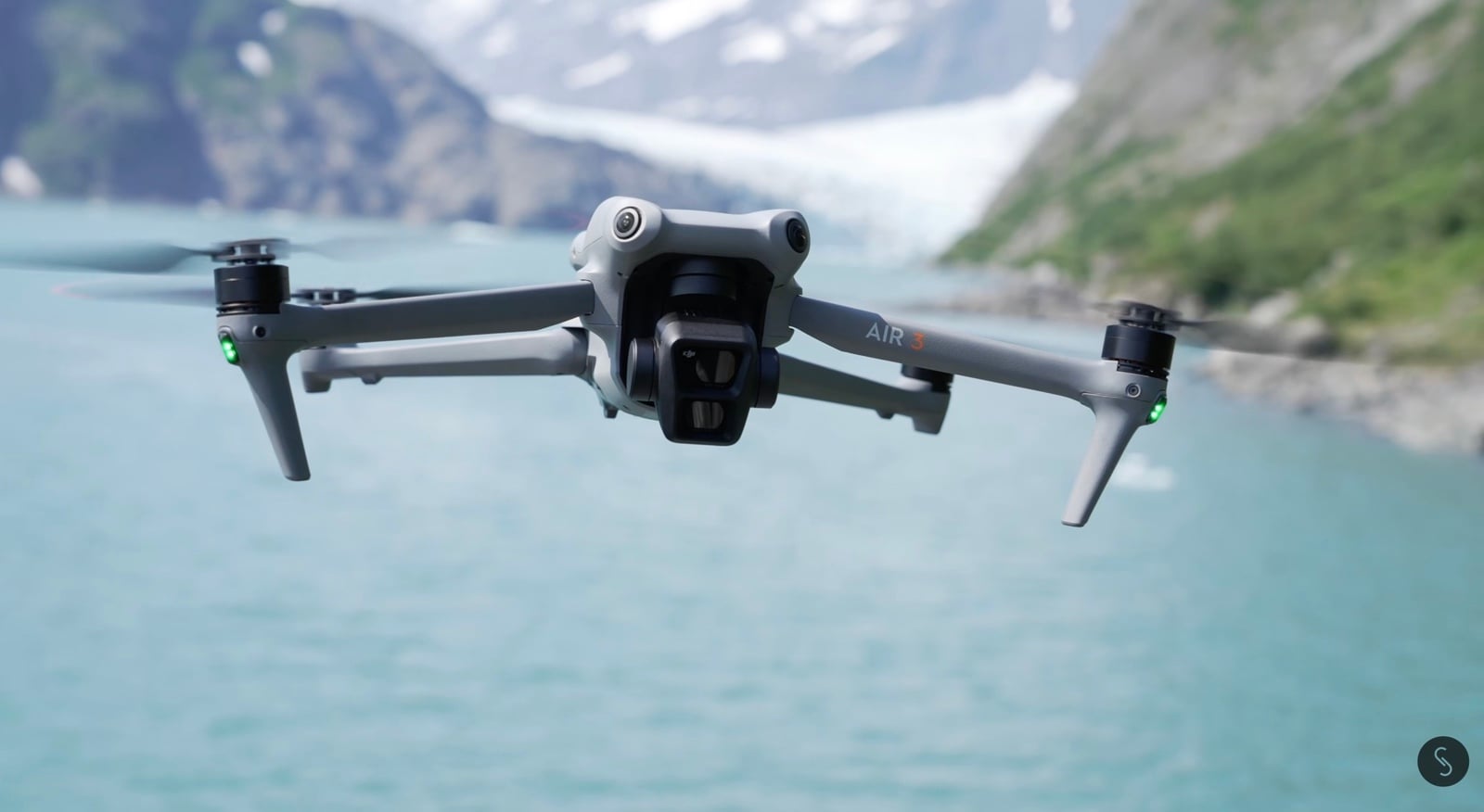
I have used the Air 3 and Air 3S a ton. I think this is probably the sweet spot for price, value, and image quality. You get really good flight time — about 40 minutes. You can get really great speed, even up to 60 miles per hour, which is insane.
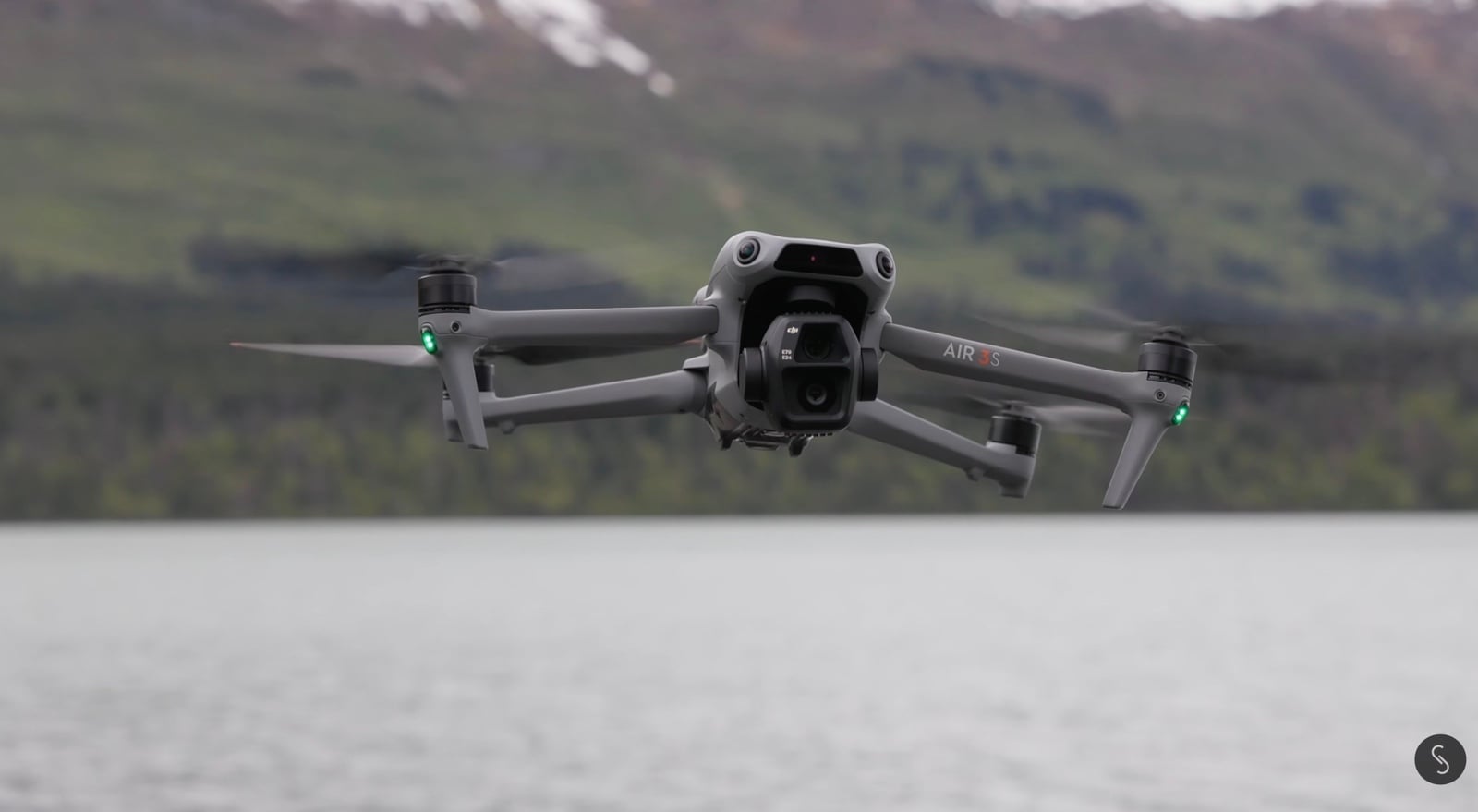
Especially if you’re operating in windy areas, the Air 3 or Air 3S has a big advantage over the smaller mini drones in that it’s heavier, more powerful, and can handle higher winds more easily. But all of that comes at a cost in price — you’re going from $600 to $800 for the Mini 4, and $1,000 or so for the Mini 5, to about $1,400 for the Air 3S and up to around $1,800 depending on the package.
Mavic 3 Pro and Mavic 4 Pro: The professional workhorses
Then we arrive at the highest-level professional drones available on the market right now: the Mavic 3 Pro and the Mavic 4 Pro.
The Mavic 3 Pro I’ve used for years. I’ve probably made the most money out of any drone I’ve owned with the Mavic 3 Pro — they’re just a fantastic workhorse. The Mavic 4 Pro is also excellent and definitely brings some improvements in image quality, flight time, and a few other things, but there’s very little difference otherwise between them.
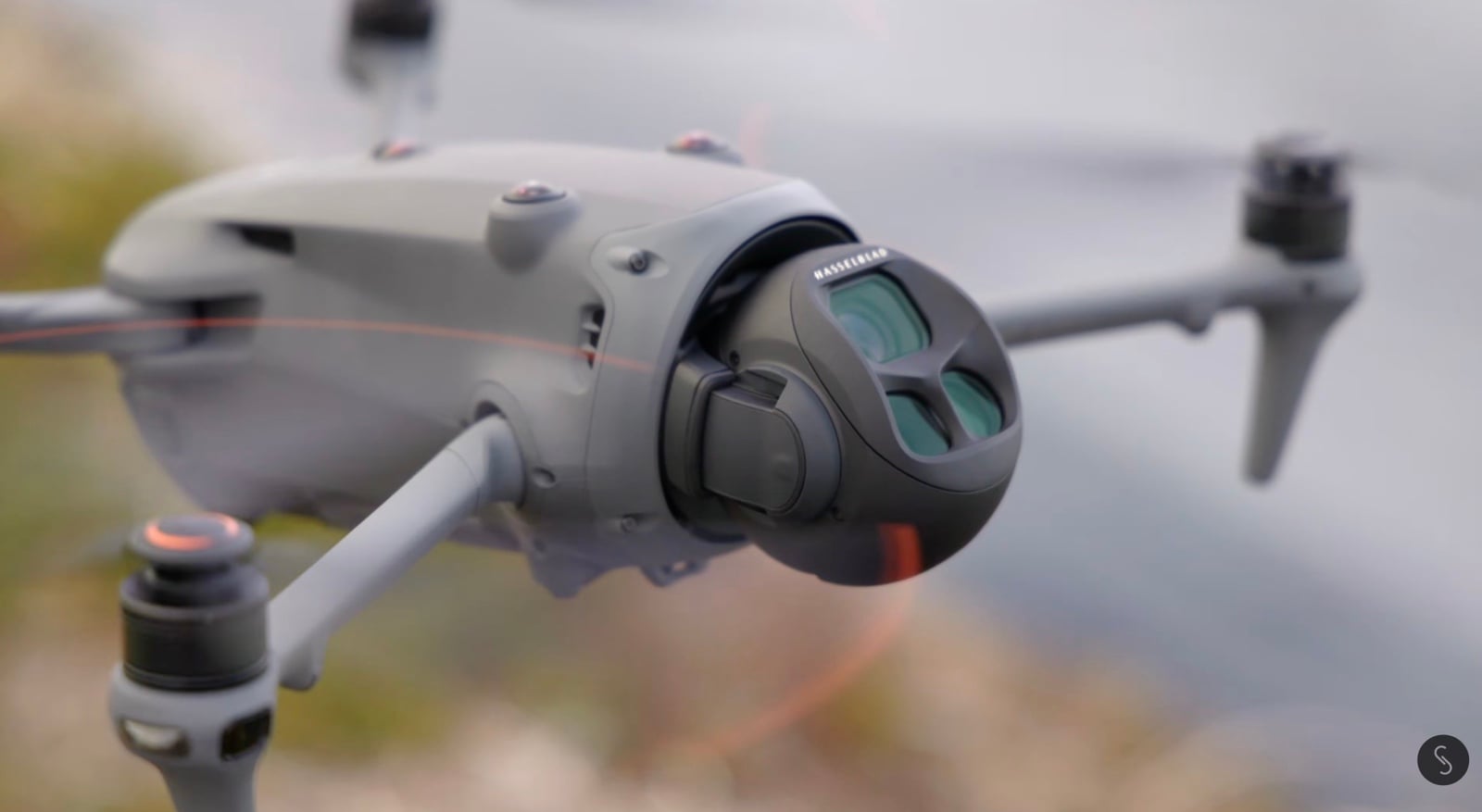
The Mavic series’ biggest advantage over the Air 3S or any other drone is that you get a variable aperture camera on the main sensor, and you’re jumping from a 1-inch sensor to a 4/3-inch sensor. That gives you more resolution — 5.1K in the Mavic 3 and 6K in the Mavic 4. That said, 4K is more than enough for most people.
The biggest advantage is that you get full D-Log 10-bit color, a much flatter color profile that gives you much more leeway to process the image and make it look exactly how you want. Because the Mavic 3 and Mavic 4 can film in full D-Log, these are the only two drones in our list that can film in the closest thing to a RAW profile, where you don’t get any internal noise reduction or internal sharpening.
The Mavic 4 is brand new with all of the newest tech, more flight time, and a slightly higher top speed up to about 60 mph, while the Mavic 3 Pro is limited to about 47 mph. Do you really need that? It depends on what you do. I use the extra speed quite often, but you may not need it.
Photo quality: Where the Mavics shine
If you’re going for the best image quality out of any drone, the Mavic 3 or Mavic 4 Pro have it, especially when it comes to photos. The other drones take essentially 12-megapixel photos and then claim you can use a 48 or 50-megapixel mode, but what that’s doing is dividing the pixels in half. You get a little extra detail, but it costs you some dynamic range.
The Mavic 3 and Mavic 4 Pro give you 20 or 25-megapixel stills respectively, and those are true 20 or 25-megapixel stills. You can also do the quad-Bayer sensor division with the Mavic 4 Pro and get 100-megapixel stills, but again, you gain detail while losing some dynamic range. If you’re doing a lot of photo work, the Mavic 3 Pro or Mavic 4 Pro are really fantastic photo drones. And if you can find one, the Mavic 3 Classic has the same main sensor — it just doesn’t have the other two cameras.
Three cameras and the Creator Combo advantage
The Air 3S was our first drone with two cameras. The Mavic 3 and Mavic 4 Pro both have three cameras. You have the main 24mm camera (or 28mm on the Mavic 4 Pro), a 70mm camera on both, and a 166mm or 168mm telephoto. That gives you some really cool punch-in shots. On the Mavic 4 Pro, the telephoto has been improved quite a bit, plus you get the option to film in full D-Log.
If you’re in the higher end and wanting to do higher-end work, both the Mavic 3 Pro and Mavic 4 Pro offer premium packages — the Cine version for the Mavic 3 Pro and the Creator Combo for the Mavic 4 Pro. The Mavic 3 Pro Cine gives you ProRes and finally unlocks 4:2:2 color sampling depth, which is much more desirable for color grading. I’ve used the Mavic 3 Pro on a ton of commercial projects matched up to very high-end cinema cameras without any issue.
The Mavic 4 Pro Creator Combo doesn’t give you ProRes but instead offers an All-Intra codec, where every frame is encoded as its own individual frame. You get more information, especially with lots of small detail like leaves, sand, or grass. The Creator Combo is also the level where you get access to D-Log 10-bit 4:2:2 color sampling.
Without those premium versions, you still get 10-bit D-Log, but only in 4:2:0 color sampling. And that’s not to say you can’t do good commercial work with the Air 3 — I’ve done a lot of it. I’ve even done some with the Mini series. Don’t think you can’t do good work with smaller or less expensive drones. You absolutely can. It mostly comes down to your skill set.
DJI Inspire 3: The cinema-grade beast
There are more expensive drones out there, and I do own one — the DJI Inspire 3. It’s the highest-end, cinema-capable, Netflix-approved 8K full-frame camera drone you can get. But you’re going to spend between $16,000 and $30,000 to outfit it because it has interchangeable lenses, the batteries are $300 to $400 a piece, you need two of them, and you only get about 20 minutes of flight time.

The Inspire 3 is fantastic, and its image quality is like nothing else out there for an off-the-shelf drone. But it is really for very high-end work. It’s meant to work with teams — one person flying the drone, one person operating the camera — on big sets and big productions like movies or high-end commercial projects.
When it comes to commercial stuff and even live streaming for ESPN and Red Bull for events like the America’s Cup, the Mavic 3 or Mavic 4 Pro has been where it’s at for most things. Don’t think you need to get the Inspire 3. That said, I’ve had a few projects flying for very high-end productions and documentaries that did demand the level the Inspire 3 provides, and it is amazing — but it has some serious caveats and drawbacks.
360 drones: The most fun flying experience
Then we come to a whole different type of drone: 360 drones. The first to market was the Anti-Gravity A1, and DJI recently released the Avata 360. These are different because you have an 8K 360-degree camera built into the drone. You’re filming everything around you, and then you reframe in post.
They won’t give you the same image quality as the other drones because you’re filming everything everywhere instead of very focused footage with a traditional camera and lens. But I think these are the best drone if you want to experience flying. You generally wear a set of goggles, and as the drone is flying, you can look around 360 degrees and see everything as you’re flying through an area. It’s the funnest user experience I’ve ever had flying drones.
They are more expensive, starting around $1,000 and going up from there. Right now, the Avata 360 is the only one you can fly with a normal standard controller. The Anti-Gravity A1, which is a partnership with Insta360, requires goggles and a thumb controller — very intuitive and easy to use, but just a bit different.
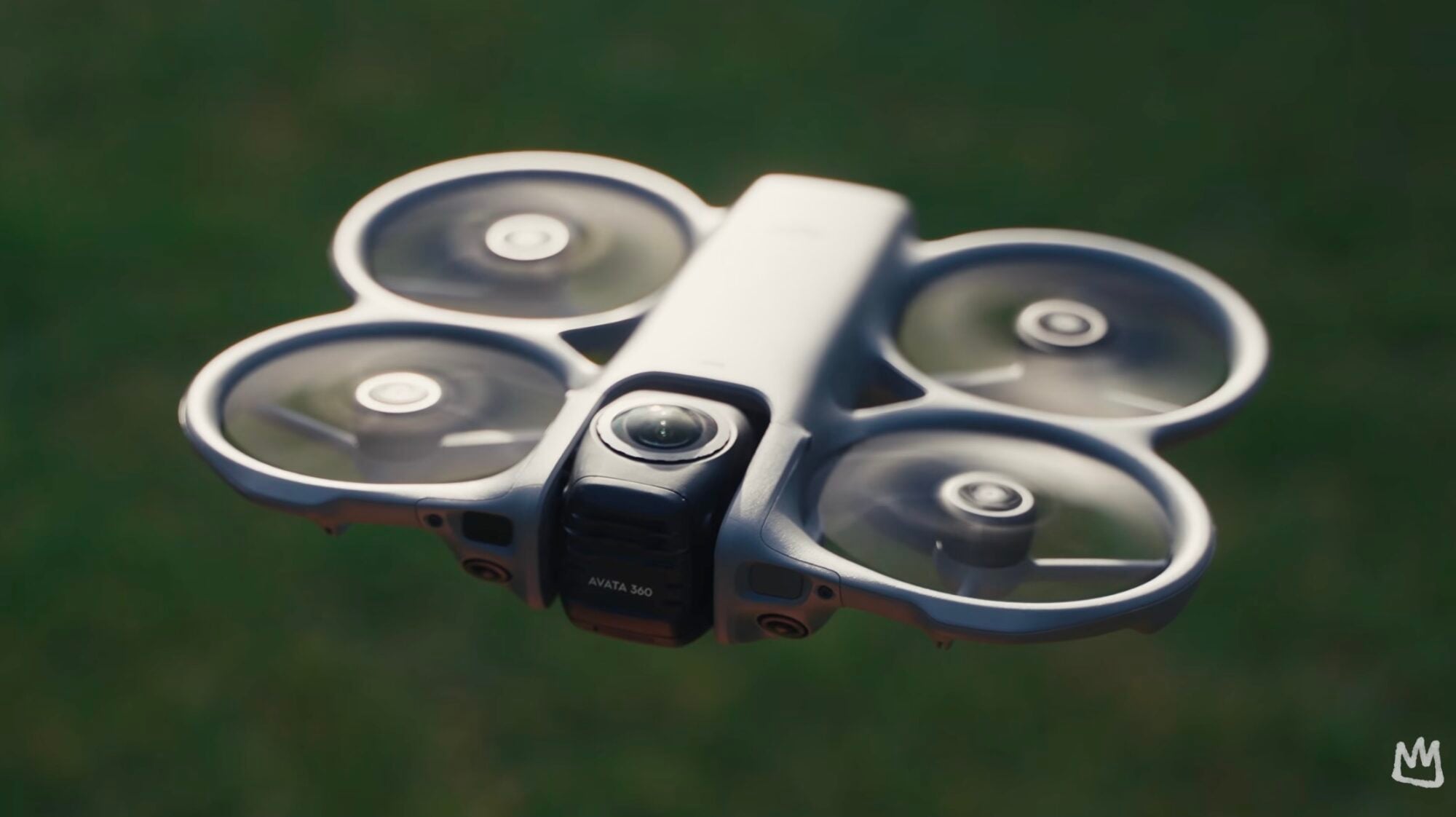
The Anti-Gravity A1 has an advantage in that it’s under 249 grams if you don’t use the extended-life batteries. It is Remote ID compliant when using the extended batteries and over 249 grams. The biggest advantage the A1 has over the Avata 360 from what I’ve seen so far is the post-production software. The Insta360/Anti-Gravity partnership really shows in their software — it’s phenomenal.
DJI Avata 2: Getting into FPV
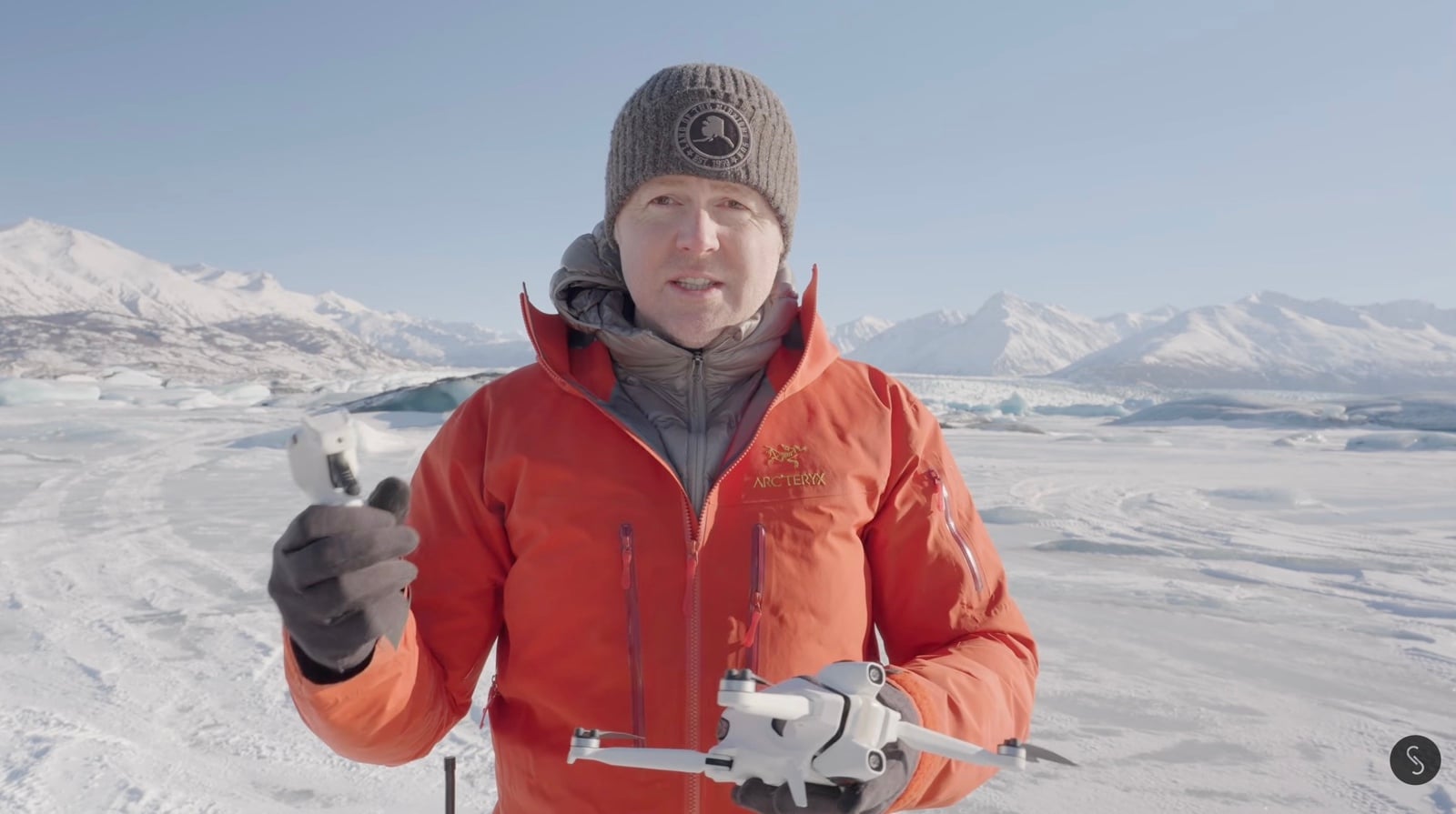
The other somewhat unique drone is the DJI Avata 2. It’s an FPV drone, and FPV drones are very different in how they fly and what you do with them. That said, the Avata 2 is a great drone if you want to learn FPV or dive a little deeper than the Neo 2 or Neo 1 can take you. It gives you a very good FPV experience and is one of the only off-the-shelf FPV drones that’s basically set up, ready to go, and very simple.
Any other FPV drones out there take a bit of a learning curve. The Avata 2 has a really good setup for letting you make slow steps into the world of FPV drones if that’s something you’re really interested in.

Final thoughts
There are other drones on the market, but most of the ones I’ve tested outside of what I’ve covered are either not worth the money or will crash immediately on takeoff because they’re just not as well designed. All the drones I’ve talked about have links in the description to where you can get them here in the US. I keep those links updated.
As always, if you have questions, ask me in the comments below or join my live stream, which happens most Wednesday nights at 4:00 p.m. Alaska time, 8:00 p.m. Eastern, where we can have more of a conversation.
You can find more videos on Jake Sloan‘s YouTube channel. Read more of Jake’s articles on DroneXL at his author page.
Discover more from DroneXL.co
Subscribe to get the latest posts sent to your email.
Check out our Classic Line of T-Shirts, Polos, Hoodies and more in our new store today!

MAKE YOUR VOICE HEARD
Proposed legislation threatens your ability to use drones for fun, work, and safety. The Drone Advocacy Alliance is fighting to ensure your voice is heard in these critical policy discussions.Join us and tell your elected officials to protect your right to fly.

Get your Part 107 Certificate
Pass the Part 107 test and take to the skies with the Pilot Institute. We have helped thousands of people become airplane and commercial drone pilots. Our courses are designed by industry experts to help you pass FAA tests and achieve your dreams.

Copyright © DroneXL.co 2026. All rights reserved. The content, images, and intellectual property on this website are protected by copyright law. Reproduction or distribution of any material without prior written permission from DroneXL.co is strictly prohibited. For permissions and inquiries, please contact us first. DroneXL.co is a proud partner of the Drone Advocacy Alliance. Be sure to check out DroneXL's sister site, EVXL.co, for all the latest news on electric vehicles.
FTC: DroneXL.co is an Amazon Associate and uses affiliate links that can generate income from qualifying purchases. We do not sell, share, rent out, or spam your email.