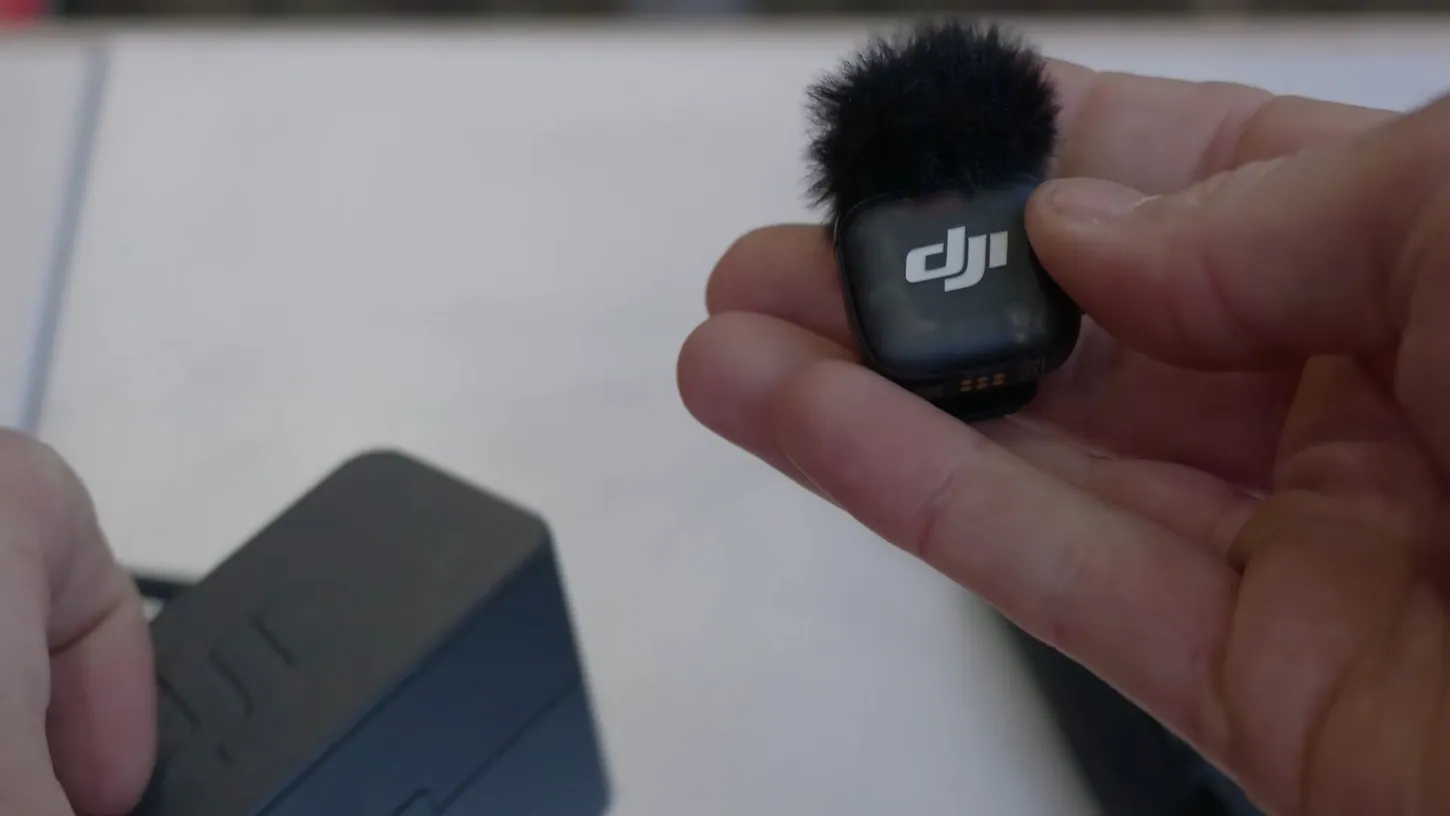
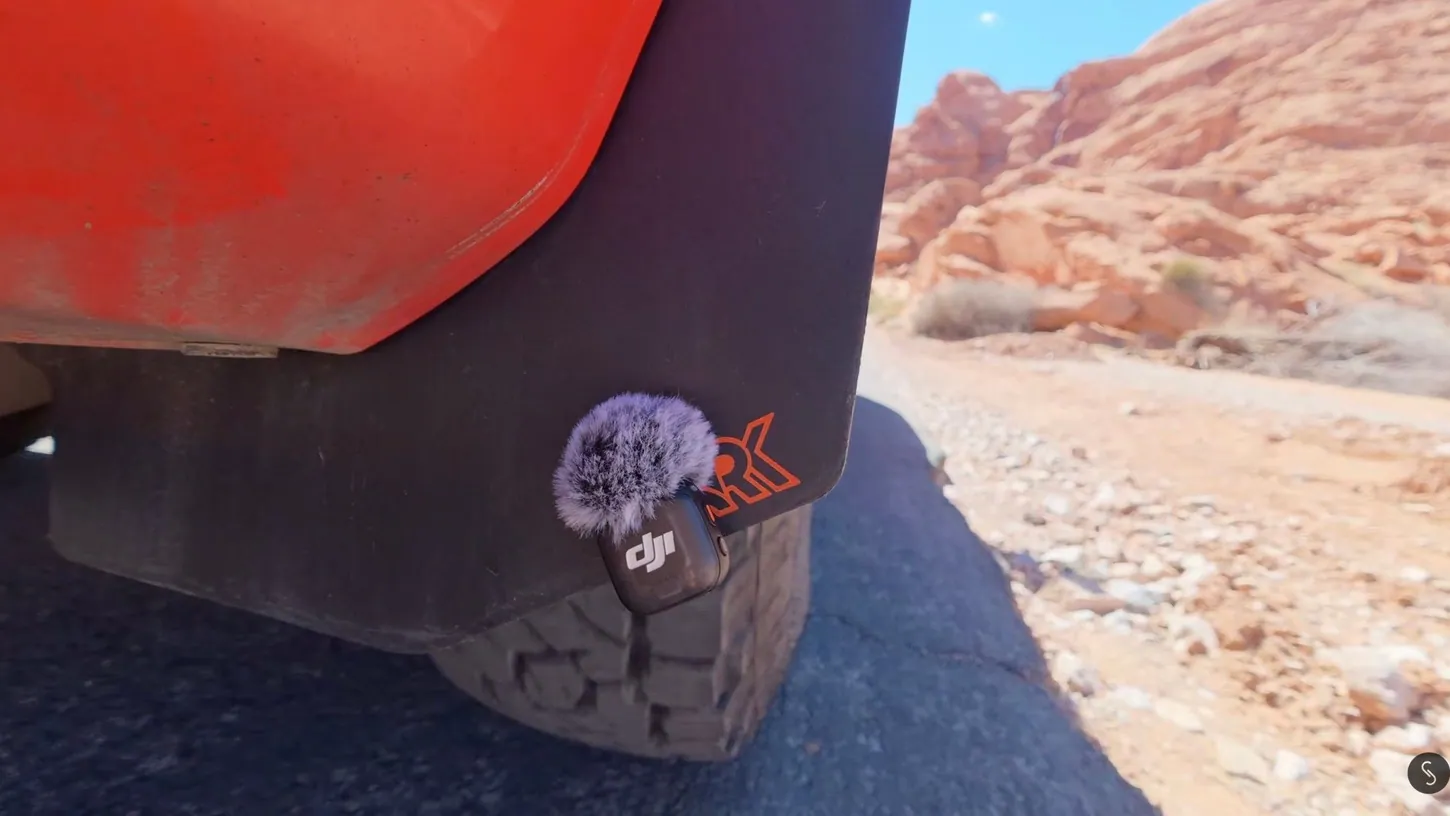
That sound you hear at the start of my video? That’s coming from a DJI Mic 3 clipped right to the mud flap of a car. Most people clip this thing to their shirt and call it a day, but it can be so much more: a hidden car mic, a hat mic, a boom mic, a broadcast mic, a standalone recorder. And by the end, I’ll have four of them hooked up to two cameras at the same time. A special thank you to DJI for sponsoring this video, and if you’re interested in a Mic 3 system, there are affiliate links in the description of my video.
1. Natural Sound From the Engine Bay or Exhaust
One thing the Mic 3 is great at is capturing natural sound. I’ve worked the Chicago Auto Show for a couple of years, and it’s great to be able to hide this mic in the engine bay of a car, or next to the exhaust, to capture the car going.
A lot of what’s under the hood is ferrous metal, so you can just attach the mic magnetically. Near the exhaust it gets a little more tricky, because not all cars have much ferrous metal back there, but you can clip it to a mud flap or even tape it in place. The trick is to make sure it’s secure and to keep the little fuzzy windscreen on to get rid of wind noise.
2. The Hidden In-Car Mic
This one is super useful for in-car interviews. You could pop the mic on your chest, or on the people in the car, and that’s okay. But sometimes you don’t want a visible mic, and there are a couple of places to hide one and still get good audio.
One of the places I like is up under the visor. It’s super easy to tuck in there, and you can’t see it in the shot. One of the keys is to be as close to your mouth as you possibly can, so if the car has a sunroof, tucking the mic up by the sunroof gets it closer still. You can get creative, too: tape it to the console or the rearview mirror. Get as close to your subject as you can while keeping the mic out of sight.
3. Car Interviews Straight Into DJI Cameras
The Mic 3 makes a great car interview mic. It’s small, so it’s easy to place just about anywhere in a car, and it has built-in noise cancellation, so you get really clean audio. It also connects directly to DJI cameras, so you don’t need a receiver.
The direct connection works for up to two mics, straight into the DJI Action 4, Action 5 and Action 6, the Pocket 3, Pocket 4 and Pocket 4P, no matter where the camera is placed, even outside the car. You just need the transmitter.
I’ve used this setup a lot at the Chicago Auto Show when we go out with reporters and drive cars. We put a couple of these little mics on the people, place a few action cameras and pocket cameras around the vehicle, and capture rolling car shots while they interview the automaker, or whoever is demoing the car, live as they drive. The setup is so fast and so easy.
4. The Hidden Hat Mic
A lot of creators put their mic on the side of their hat. That works, because no matter where you turn your head, the audio stays the same. If you don’t want that look, though, the Mic 3 is small enough to work as a hidden hat mic.
It fits inside a hat without you really noticing, as long as you tuck it up far enough that it doesn’t stick out. This works especially well with ski hats when you’re out in the cold. On your chest, which is usually a really good spot, the audio can change a little if you turn your head too far or your subject looks away while talking. In the hat, it stays exactly the same.
5. Hidden Under Layers on the Magnetic Necklace
This trick depends on the clothes you or your subject are wearing, but in the right circumstances it works really well. You probably know about the magnetic necklace you wear under your shirt and clip the mic to. It’s super easy and super fast to set up.
Most of the time, though, I prefer the microphone somewhat hidden. I’m in a t-shirt in the video because I’m out in the desert and it’s really hot, but when your subject wears multiple layers, you put the mic on the magnetic necklace, place it where you can’t see it under the layers, and you’ve got a great hidden microphone. Watch out for fabric rustle: some fabric makes a lot of noise when it moves, and some people move a lot when they talk.
6. The Ridiculously Easy Phone or Computer Setup
Take a small receiver, or even the standard receiver, plug it into a USB-C port, and all of a sudden you’ve got a direct connection to your computer or phone. It makes a huge difference to the audio if you’re just recording with your phone.
In the video, I’m recording on an iPhone with some really strong wind blowing. As soon as I add a Mic 3 with the little receiver going straight into the phone, the wind problem and a lot of other noise are pretty much eliminated.
7. A 32-Bit Standalone Recorder
The DJI Mic 3 records internally, and it’s 32-bit, so you don’t have to set your levels perfectly. That makes it a great standalone recorder: turn the mic on, push the red button, and know it’s recording. It’s fantastic for events.
Start a recording and set it on a podium, or somewhere in the room, to catch ambient audio or the speaker directly. At weddings, where you can’t be everywhere at once, a standalone recording is a great backup to make sure you capture good audio.
8. The Handheld Broadcast Mic
If you’re running around a trade show or doing man-on-the-street interviews, you can talk into the Mic 3, then hand it to the other person so they answer into it. It’s a little faster and easier than taking the time to clip or hide a mic on somebody.
I’m not saying you’d want to use it this way all the time. Ordinarily I’d cover it with a large foam windscreen, and you can get, or make, 3D-printed handles that fit the Mic 3 exactly. And honestly, sometimes it’s just fun to hand-hold a microphone. In my case, the answer to “what’s happening today?” was a ton of airplanes flying around, which made this video really hard to record.
9. A Makeshift Boom Pole Mic
Normally I’d use an actual boom pole, but I didn’t have one with me, so I used a giant selfie stick and some bungee ties. Keep the mic just out of frame but as close to your subject as you can get, and you have a decent little boom mic.
For an on-the-spot field interview, it’s really not bad. I had a slightly tighter focal length on the lens, but you could go a little wider, no problem. Mine was about 12 inches from my mouth, with a pretty strong wind blowing, and it’s amazing what these little things can do in a pinch.
10. Four Mics, Two Cameras
This is the ridiculously complicated setup: four microphones paired to two receivers, and you could go up to eight receivers if you wanted to. For a podcast where you interview four people with four microphones, you can send the audio to as many cameras as you need.
I didn’t have four people out in the desert, but in the video, all four microphones are recording into both cameras at the same time. Four microphones, two cameras. I told you it was ridiculous.
What’s the weirdest place you’ve ever tried to hide a microphone? Let me know in the comments on my video. If you’re interested in a DJI Mic 3 system, there are affiliate links in the description, or you can search for DJI Mic on sites like Amazon, because DJI is running some pretty big Black Friday and Cyber Monday sales. As always, if you have questions, ask me in the comments, or join my live stream, most Wednesday nights at 4:00 p.m. Alaska time, 8:00 p.m. Eastern.
This article is based on a video from our YouTube partner Jake Sloan. Watch the full video on the Jake Sloan YouTube channel, and find more of Jake’s work on his DroneXL author page.