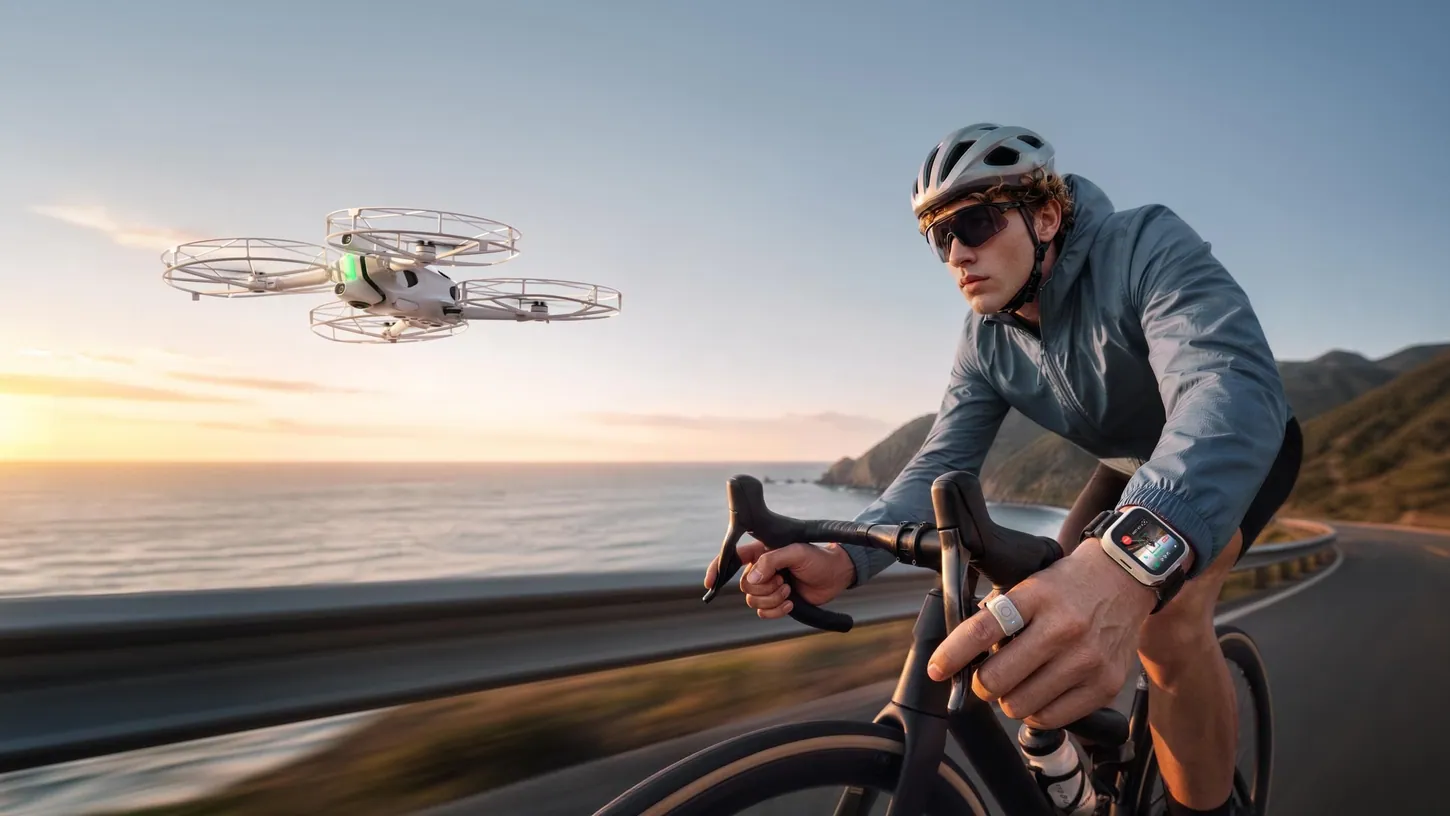
Antigravity just released two new accessories that change the way you fly the A1: a Watch Remote and a Ring Remote. With the new Follow Me Bundle, those two are all you need to control the drone. You ditch the goggles and the controller and focus on whatever you’re doing.
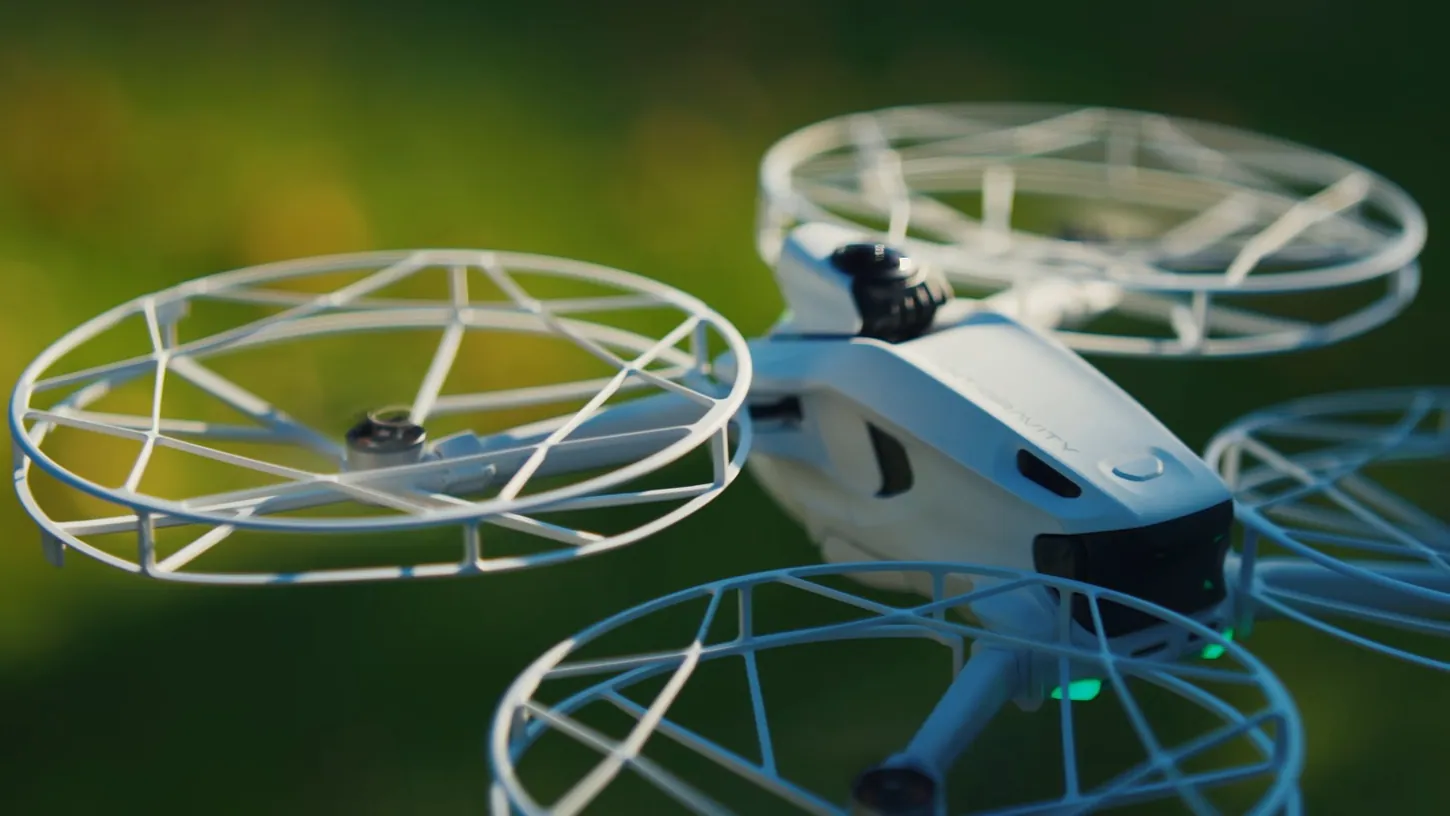
The bundle also comes with four propeller guards that install easily, so you can fly the drone safely around you, even up close, without worrying about the blades hitting you. That turns the A1 from a 360 camera drone into a 360 follow-me drone. You let it do its thing and still come home with crazy-looking 360 shots. I took it into a dense forest on a quad bike sure it would crash at least a couple of times, and it didn’t crash once.
The Watch Runs the Show and the Ring Launches the A1 From Your Palm
The Watch Remote is the brain of the whole operation. It weighs 44 g, has a 1.72-inch screen and is IP67 water resistant. From your wrist you get the controls to take off, land, switch modes and change your follow settings.
It also gives you a live preview, so you can check your framing without pulling out your phone. That saves so much time and trouble, and I’m a big fan of it.
The Ring Remote is tiny: 8.2 g with a single button. That one button handles palm takeoff and a feature called Drag-to-Fly, which I’ll get to in a second.
Palm takeoff is a major change for the A1. You hold the drone in one hand, press and hold the ring button with the other, and it takes off. That’s it. For anyone shooting on the move this is a big deal: before, you needed a level surface free of debris, sand or little rocks that could damage the drone on takeoff. Now the ground below doesn’t matter.
A New Tracking Algorithm Fuses Vision With the Watch’s GPS
Antigravity shared with me that it developed a new tracking algorithm for the A1, because the drone now operates as a follow-me drone. It combines visual tracking with GPS positioning from the watch, so if you move fast or get briefly blocked behind something, it holds onto you better.
The A1 was originally meant to work in a completely different way, so the algorithm has to be very smooth and smart enough to predict where you’re going.
Maximum tracking speed is about 22 mph (10 m/s), and that’s with the guards installed. For cycling, hiking, skating or running around with kids, that covers most of what I would actually film with the A1.
There’s also a new feature called Wave to Track. You tap a button on the watch, wave your hand above your head, and the drone locks onto you. It’s a small thing, but it removes the fiddling with selecting yourself on the screen.
Drag-to-Fly Puts the Drone Where Your Hand Points
Drag-to-Fly positions the A1 with your hand. Hold the ring button until you feel the watch vibrate, then move your hand left, right, up or down, and the drone follows that movement. Rotate your wrist inward and it comes closer. Rotate it outward and it pulls away.
It’s a very convenient way to place the drone around you and find the spot you want before you start filming. If you want to adjust the position or change direction, you don’t have to land or touch the phone. For more precision, the watch screen has sliders for altitude, yaw and direction.
Then there’s Sky Genie, which we’ve seen before: one-tap cinematic moves, with orbit, fly away, ascent and spiral to choose from. You pick one on the watch and the drone flies it. Since this is a 360 drone, you don’t have to worry about exact framing in any of those shots. You sort that out later in the edit.
The Prop Guards Push the A1 to 351 Grams and About 23 Minutes
With all four propeller guards installed, the drone weighs 351 g, so it is no longer a sub-250 g drone and falls into a different category. Make sure you’re aware of that before you fly. Flight time drops to about 23 minutes, and that’s in ideal conditions.
As we all know, conditions are never ideal when we fly, so expect a bit less.
The A1 Chased Me Through Bushes and Branches Without a Scratch
I’m super impressed by the tracking algorithm: open fields were no problem at all, and the little orbit it flew around me while I rode gave me shots I was really happy with. Then I rode into a super dense forest, and the A1 never crashed once.
Even I couldn’t see where I was going in there, with bushes hitting me in the face, and the drone kept following without any problems whatsoever. Twigs and branches didn’t bother it either: it navigated around them very smartly, and I got it back in one piece without a scratch.
When I jumped off the quad, it kept me in frame for a while, then did some weird maneuvers around the trees to keep me in view. It still didn’t lose me, and when I got back on and started riding, it carried on following.
It did lose me once, when I went through a lot of bushes. Behind them it couldn’t keep following, it got stuck, and I had to go back and retrieve it. Other than that, I’d say it performed flawlessly. The one thing I’m not a fan of is the lens flares in the footage. They don’t look very nice in my opinion, and the lens was clean, so it isn’t an issue on my end.
The Follow Me Bundle Is for Footage of Yourself, the Goggles Bundle for Flying
Which bundle to buy comes down to how you want to use the drone: the Goggles Bundle, discounted during the campaign, is the more immersive way to fly, while the Follow Me Bundle is built for convenient, hands-free tracking during outdoor activities.
With the goggles on, you see what the drone sees. With the Follow Me Bundle, you have the watch and the ring, you pull the drone out, and you’re already filming. If you want the full flying experience, go for the Goggles Bundle. If you want footage of yourself while you ride, hike or play, go for the Follow Me Bundle. I’ve linked both in the description of my video.
Personally, I feel this makes a completely different drone out of the A1. It’s now a follow-me drone on top of the camera drone we’ve seen before, and it’s all in 360, so the tracking shots keep the freedom of reframing in post. For me that’s a fresh way to fly this drone. Let me know in the comments under the video whether you agree.
This article is based on a video from our YouTube partner Mihail Svilenov. Watch the full video on the Mihail Svilenov YouTube channel, and find more of Mihail’s work on the DroneXL author page.